Research Grid Hub
Research Grid Hub Overview
The Research Grid Hub is the all-in-one view for all essential information on any domain or keyword. It displays the ranking keywords, the pages ranking for those keywords, which can be broken down by subdomains, and folder level URLs, the domain's keywords by intent, the SERP features they have earned, the countries they rank in, their competitive landscape, and more. Ranking data in Research Grid Hub is based a monthly rank check and is separate from the managed keywords set. Previous month's data is typically available by the 3rd of the following month.
Note: Access the "Keywords" report by using the sub-menu for Research Grid Hub by clicking on Domains in the left side navigation menu. To learn about other sections of Research Grid Hub follow these links:
A quick tour of seoClarity's center for keyword and topical research:
Research Grid Hub Use Cases
- Identify true online competitor domains and the keywords they rank for Learn More
- Discover industry specific keyword topic opportunities Learn More
- Help build a keyword portfolio Learn More
- Find content opportunities based on keyword research Learn More
Research Grid Hub Frequently Asked Questions
- How are keywords added to the Research Grid database? Learn More
- When does the previous month become available in Research Grid? Learn More
- What are saved lists and how can I edit them? Learn More
Research Grid Hub
Enter a keyword or URL and get all of seoClarity's AI-driven intelligence based on the largest keyword data set. 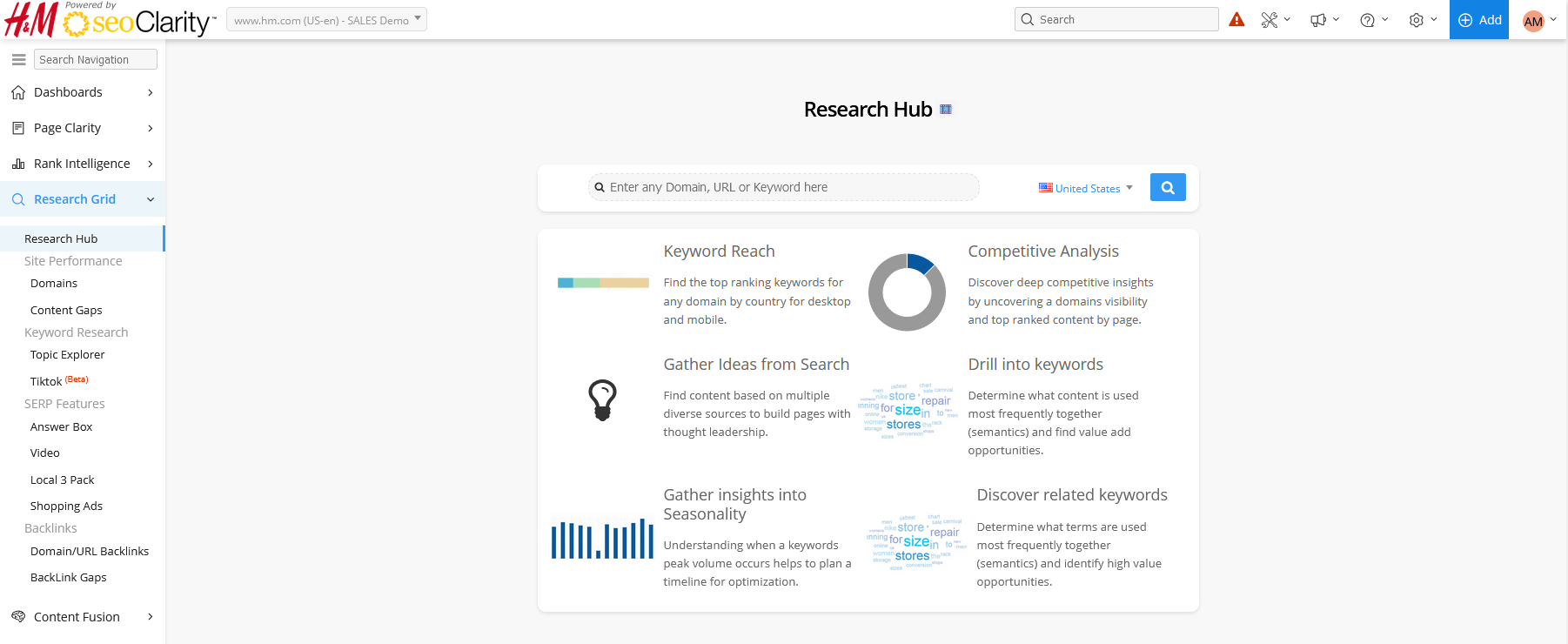
Search Options
Search Box: Enter in any domain or URL or keyword. The type will be auto detected.
Country Selector: Choose a country to see that country's data.
Keyword Hub
The Keyword Hub opens once a keyword is searched in Research Grid Hub.
The filter options are available after performing a keyword search.
The filter options are available after performing a keyword search.
Search Box: Enter in any domain or URL or keyword. The type will be auto detected.
Country: Select the country for the results displayed.
Summary Boxes
- Search Volume: Displays the monthly average search volume for the searched keyword based on Google's Keyword Planner.
- CPC: Displays the estimated cost per click of the keyword from Google's Keyword Planner
- Keyword Intent: The most likely user intent behind searches for the searched keyword.
- SERP Features: Search features that show on search pages where this keyword ranks.
- Top Industry: This displays the top industry categories for the searched keyword.
Widgets
Click "view full report" in each widget to open the appropriate Research Grid section in a new tab with all the information and insights you need.
- Keyword by Intent: The most likely user intent behind searches for the searched keyword. This widget includes the number of keywords for each intent type and the estimated traffic.
- Search Volume Trend: A month over month view of search volume based on the searched keyword.
- Related Topics and Total Search Volume: Displays the top related topics and the total search volume based on the searched keyword. This widget also includes volume for each of the topics and the Intent Similarity percent.
- Content Ideas: Displays a list of relates questions and the number of ranking keywords for those questions.
- Newly Discovered: Displays a list of newly discovered keywords based on the searched keyword, their volume, and when they were first seen.
- Top Competitors: Displays the top competitors based on the searched keyword, their keyword count, total search volume, and the estimated traffic.
- SERP Features: The chart displays the number of ranking URLs based on the searched keyword.
- Ranking Sites: Displays the trend chart for top ranking domains or URLs, the URLs, top topics, and topical page strength based on the searched keyword.
- Answer Box Opportunities: Displays keywords with an Answer Box and search volume based on the searched keyword.
Access the "Keywords" report by using the sub-menu for Research Grid Hub by clicking on Domains in the left side navigation menu.
Domain Hub
The Domain Hub opens once a domain or URL is searched in Research Grid Hub.
The filter options are available after performing a domain or URL search.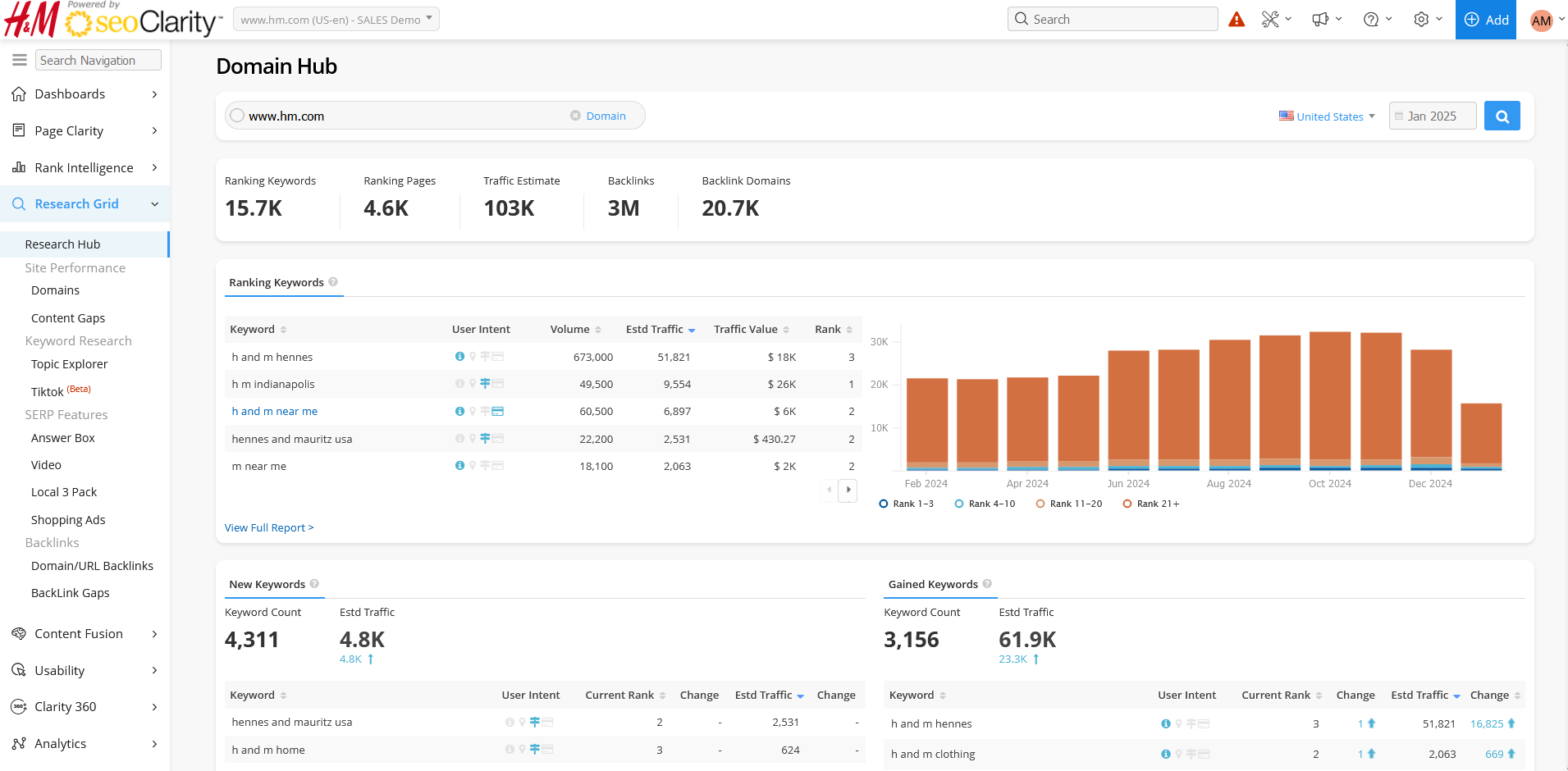
The filter options are available after performing a domain or URL search.
Search Box: Enter in any domain or URL or keyword. The type will be auto detected.
Country: Select the country for the results displayed.
Date: Allows choice of any month and year within the available dataset. Most recently ended calendar month is the default.
Date: Allows choice of any month and year within the available dataset. Most recently ended calendar month is the default.
Summary Boxes
- Rankings: This is the count of all URLs found ranking for keywords from Research Grid.
- Ranking Pages: Displays the number of pages ranking based on the searched domain or URL.
- Traffic Estimate: Displays the traffic estimate based on the searched domain or URL.
- Backlinks: The count of unique backlinks linking to the ranking URL.
- Backlink Domains: Displays the number of the referring domains based on the searched domain or URL.
Widgets
Click "view full report" in each widget to open the appropriate Research Grid section in a new tab with all the information and insights you need.
- Top Keywords: Displays the top keywords, volume, estimated traffic, and rank based on the searched domain or URL. The chart to the right displays the breakdown of rankings by month.
- New Keywords: Displays newly ranking keywords based on the searched domain or URL compared to the prior month. This widget includes the keyword count, estimated traffic, the keyword, current rank, estimated traffic, and how much they changed.
- Gained Keywords: Displays keywords that have improved rankings based on the searched domain or URL. This widget includes the keyword counts and estimated traffic.
- Lost Keywords: Displays the keywords that have stopped ranking based on the searched domain or URL compared to the prior month. The widget includes keyword count and estimated traffic.
- Declined Keywords: Displays the keywords that have lost rankings based on the searched domain or URL compared to the prior month. The widget includes keyword count and estimated traffic.
- Keyword by Intent: Analysis of the searcher's intent. Displays the breakdown of the keywords intent based on the domain or URL searched.
- SERP Features: The chart displays the number of keywords that triggered each SERP feature based on the searched domain or URL.
- Top Country: Displays the top countries where the searched domain or URL rank. This widget includes a map and a table that lists the country, keyword count for the country, average rank, and estimated traffic based on the searched domain or URL.
- Top Pages: Displays pages that have the highest number of ranking keywords and their estimated traffic based on the searched domain or URL. The chart on the right displays the month by month trend.
- New Pages: Displays pages that have started ranking for keywords based on the domain or URL searched compared to the prior month. This widget includes the page count and the estimated traffic gained.
- Lost Pages: Displays pages that have stopped ranking for keywords based on the searched domain or URL compared to the previous month. This widget includes the page counts and the estimated traffic loss.
- Top Competitors: Displays domains or URLs that have the most overlap of keywords based on the searched domain or URL. The table includes the domain, competition percent, estimated traffic, and top 10 rankings. The chart to the right displays the count of common keywords and their estimated traffic for the top competitors.
- Run Content Gaps Report: Click the button in this widget to run the report. For data beyond the 5 domain input (up to 250), custom Content Gaps extracts can be provided for an additional cost. Contact support@seoclarity.net for more information.
- Top Linked Pages: Displays the top pages based on the searched domain or URL that link from external domains or URLs. The widget's table includes the target URL, count of backlinks, the count of backlink domains, and the count of anchor text.
- Linking Domains: Displays a summary of the top domains linking to the searched domain or URL based on the count of backlinks that domain has. The widget's table includes backlink domains, the count of backlinks, the count of backlink to the searched domain, citation flow, and trust flow.
Access the "Keywords" report by using the sub-menu for Research Grid Hub by clicking on Domains in the left side navigation menu.