Research Grid: Video
Research Grid Video Overview
View video search performance on Google for video content from a domain or YouTube based on the Research Grid data set.
Background & Requirements
Search for a domain, URL or Youtube publisher to view Video Ranking data based on keywords from the Research Grid.
Research Grid Video Use Cases
- Discover keywords that have the Google Video pack SERP feature where the searched brand is ranking.
- See you brand visibility in the Google Video pack and the count of occurrences where the searched brand occurs overall.
Research Grid Video
Input Selector
Search bar: Input a domain, URL or Yotube publisher to see ranking video data.
Summary Chart
Keywords: This displays the count of keywords ranking with a video result.
Search Volume: This displays the total search volume based on the count of keywords ranking with a video result.
Ranking Videos: This displays the count of video results ranking based on the ranking keywords.
Trend Chart
Video Rankings by Month: Uncover the performance of your videos across the entire Research Grid dataset
Top Competitors: This is based on the keywords where the searched domain or publisher ranks, so the competitors data is only these keywords in this view. Searching for that domain or publisher separately will display data for all of their ranking keywords.
Filters
Keyword: Allows for filtering of the keywords based on the criteria: is, isn't, contains, does not contain, starts with, ends with, or a Regex pattern.
Search Intent: Allows for nested filtering of keywords based on the criteria: is, isn't, contains, does not contain, starts with, ends with, or a Regex pattern using AND OR statements.
URL: Allows for filtering of the URLs based on the criteria: is, isn't, contains, does not contain, starts with, ends with, or a Regex pattern.
Video Rank: This filters the rank position where the Video pack result is shown.
Sub Rank: This filters the rank position within the Video pack result itself.
Search Volume: This filters the search volume for the keyword.
Video Keywords table
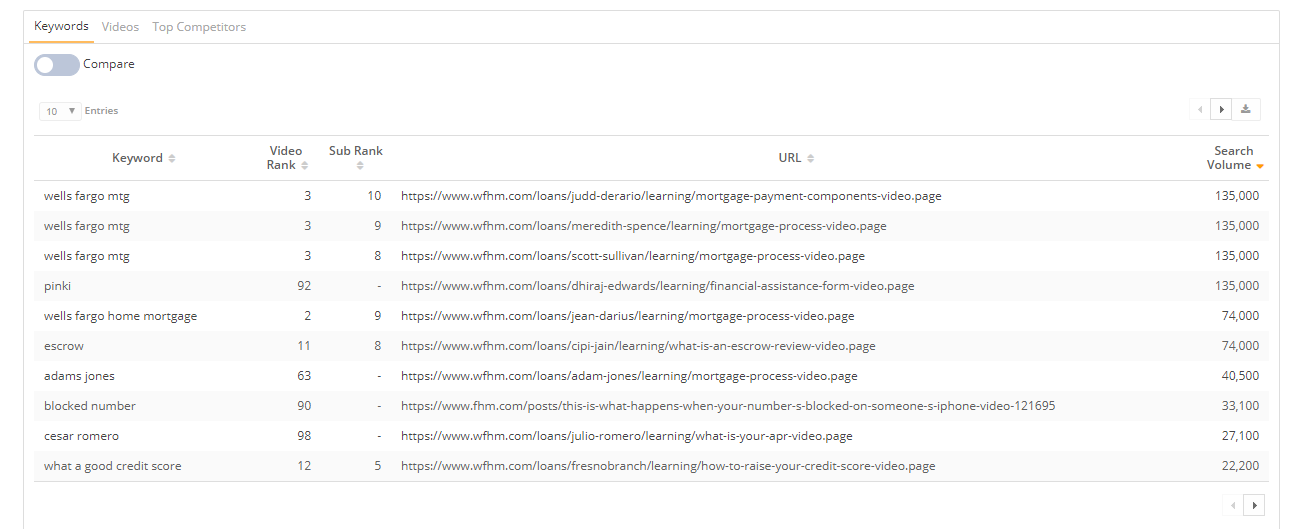
This displays the ranking keywords that have a video result based on the searched domain or Youtube Publisher.
Options
Compare: Enabling this option will display a comparison against a previous month's data.
Keywords Table Columns
Keywords This displays the video ranking keywords for the searched domain or publisher.
Videos Rank: This displays the rank position where the Video pack result is shown
Sub Rank: This displays the rank position within the Video pack result itself.
URL: This displays URL of the ranking video.
Search Volume: This displays the search volume for the keyword.
Videos table
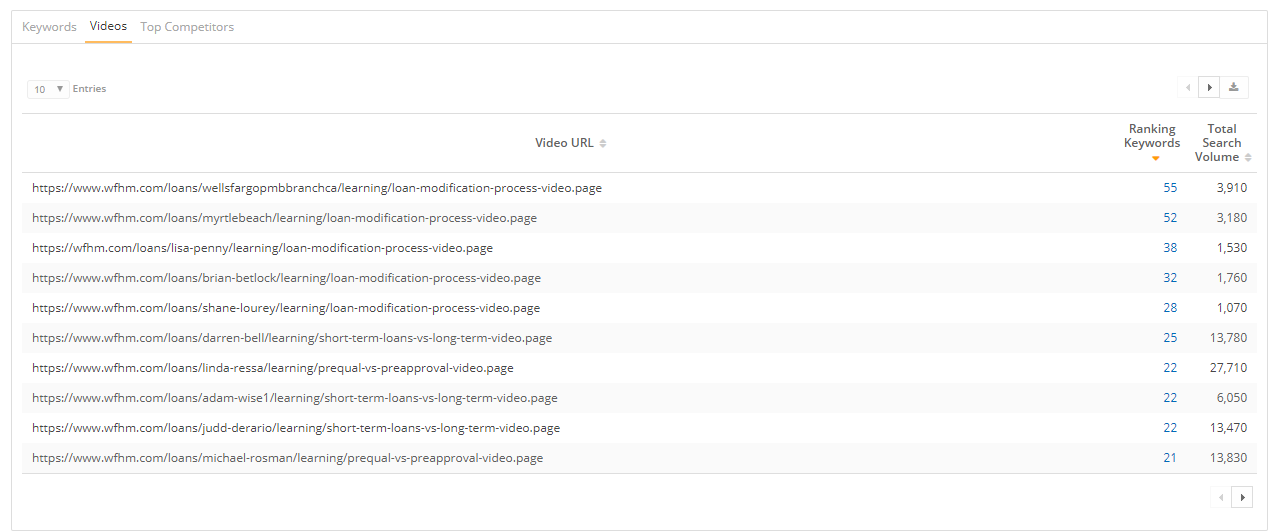
This displays the ranking video URL based on the searched domain or Youtube Publisher.
Videos Table Columns
Video URL: This displays the URL of the ranking video result.
Ranking Keywords: This displays the count of keywords ranking for the video URL, based on the keywords ranking for the search domain or publisher. Selecting this will display a popup of those keywords and their ranking.
Total Search Volume: This displays the total search volume for the keywords ranking for the video URL, based on the keywords ranking for the search domain or publisher.
Top Competitors table
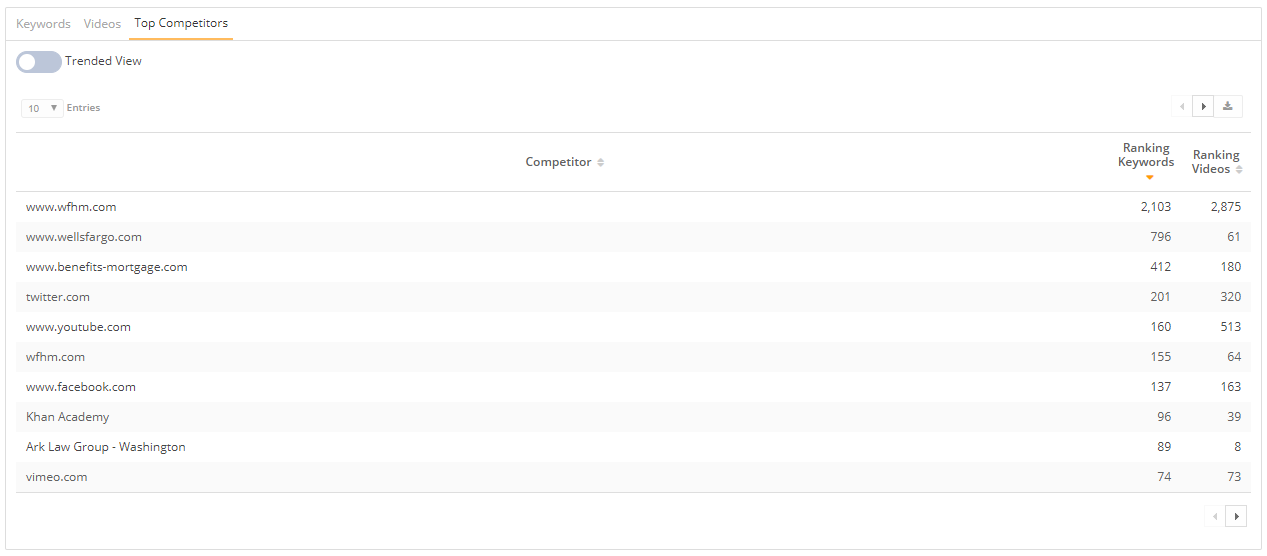
This displays the top ranking domains that have a video result based on the searched domain or Youtube Publisher.
Options
Trend: Enabling this option will display a trend of ranking keywords or ranking videos.
Top Competitors Table Columns
Competitor: This displays the domain or publisher ranking, based on the keywords ranking for the search domain or publisher.
Ranking Keywords: This displays the count of keywords ranking for the domain or publisher, based on the keywords ranking for the search domain or publisher.
Ranking Videos: This displays the count of videos ranking for the domain or publisher, based on the keywords ranking for the search domain or publisher.