Overview
Review what is being added or removed in your seoClarity account. The Queue Monitor allows for the tracking of elements being added and removed from the platform by any of the users in the account.
Add Queue
If users have been adding keywords, keyword tags, keyword + tag pairs, target URLs, keyword + target URL pairs, keyword translations, or have renamed any tags in the account, it will be displays in the Add Queue section of the Queue Monitor.
If your action has a status of complete but you do not see data for the addition in your account yet, it might not have been rank checked yet. It can take 24-48 hours for new additions to be rank checked. If you have weekly rank checks, your data should populate the following Sunday.
Some other items to check in your account are the date settings, filters for geo-locations, and search engines that match when and where your additions were set up for.
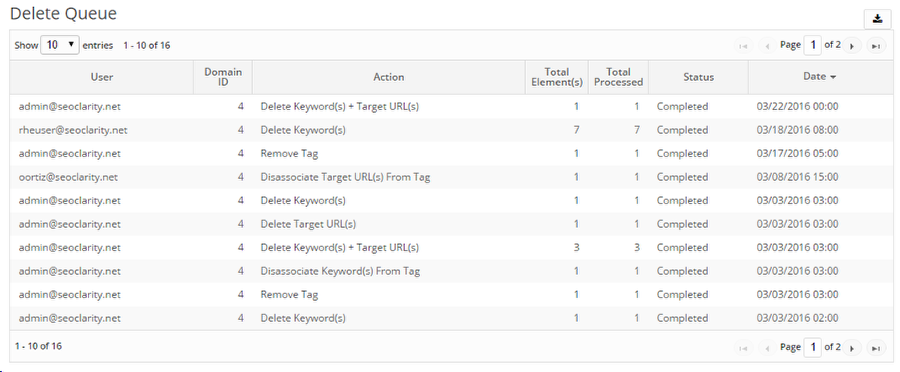
Delete Queue
When anything is removed or deleted from your account such as keywords or target URLs, the changes will be displayed in the Delete Queue data table. It will display the User, Action, Total Elements, Total [Elements} Processed, Status, and Date of the actions.