Google Maps (enabled feature)
Google Maps Overview
seoClarity's Google Maps sheds light into an aspect of local SEO, by providing performance metrics within Google's local business listings. Google's results are increasingly geo-localized and the inclusion of Google Local Business Listings in the search results present an incredible challenge and opportunity. Localized results completely change the set of results displayed depending on the users location by providing a boost to more locally targeted and optimized businesses while local business listings (map listings) can steal traffic away by leap frogging in front of web results displayed.
With Google Maps you can view the entire set of ranking data for local business results as displayed in Google Local Business listings based on your managed keywords. These are rank checked against Brands, which can be setup via the Google Maps settings page.
Background & Requirements
Google Maps must be enabled via settings and is made available on the Rank Intelligence menu. Keywords can be added to Google Maps for tracking once the feature has been enabled. Brands must be added via settings to view ranking data within the Google Maps feature. Adding keywords can incur a cost depending on the contracted work order.
Google Maps Use Cases
- Discover what your Visibility in the Google Maps pack is and track trends over time
- See the performance of each of your brands in local
- Get insight into what drives local business listings rankings with Ratings, Reviews and depth of content in the listings
Google Maps charts
The charts can be filtered by keyword tags or Brands via the dropdown selections and are broken up into 3 primary visualization: Visibility, Local Presence, and Brands.
Visibility within Local Listings: This trend chart displays the count of keywords ranking by groups (1-3, 4-10, 11-20, and 21+) as seen within the Google Maps Listings.
Local Presence Trend: This reflects how often a brand is in the top 3 positions out of the total count of managed keywords tracked in the Google Maps feature. Options are available for count or percent of total.
Visibility within Local Listings by Brand: This column chart displays the count of keywords ranking by groups (1-3, 4-10, 11-20, 21-100, Unranked) within the Local Business Listings by Brand. Selecting a Brand from the column charts will update the donut and bar charts for that particular brand, as well as the data table.

Google Maps table
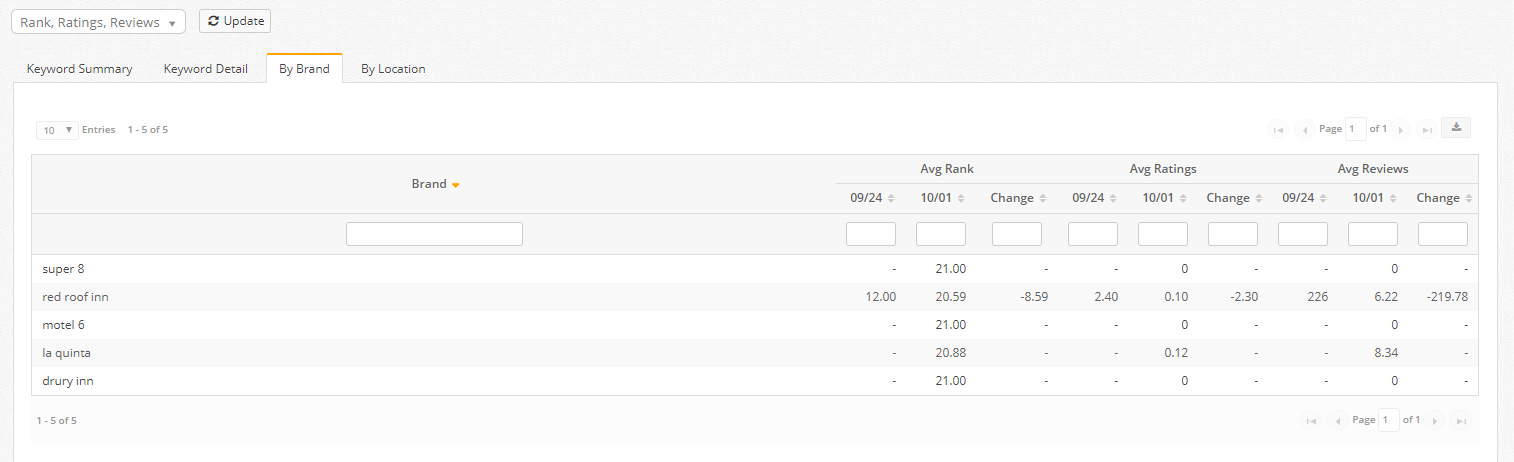
There are 4 data table views including: Keyword Summary, Keyword Detail, Brand, and Location. Average Rank, Ratings and Review metrics can be selected via the dropdown above the table.
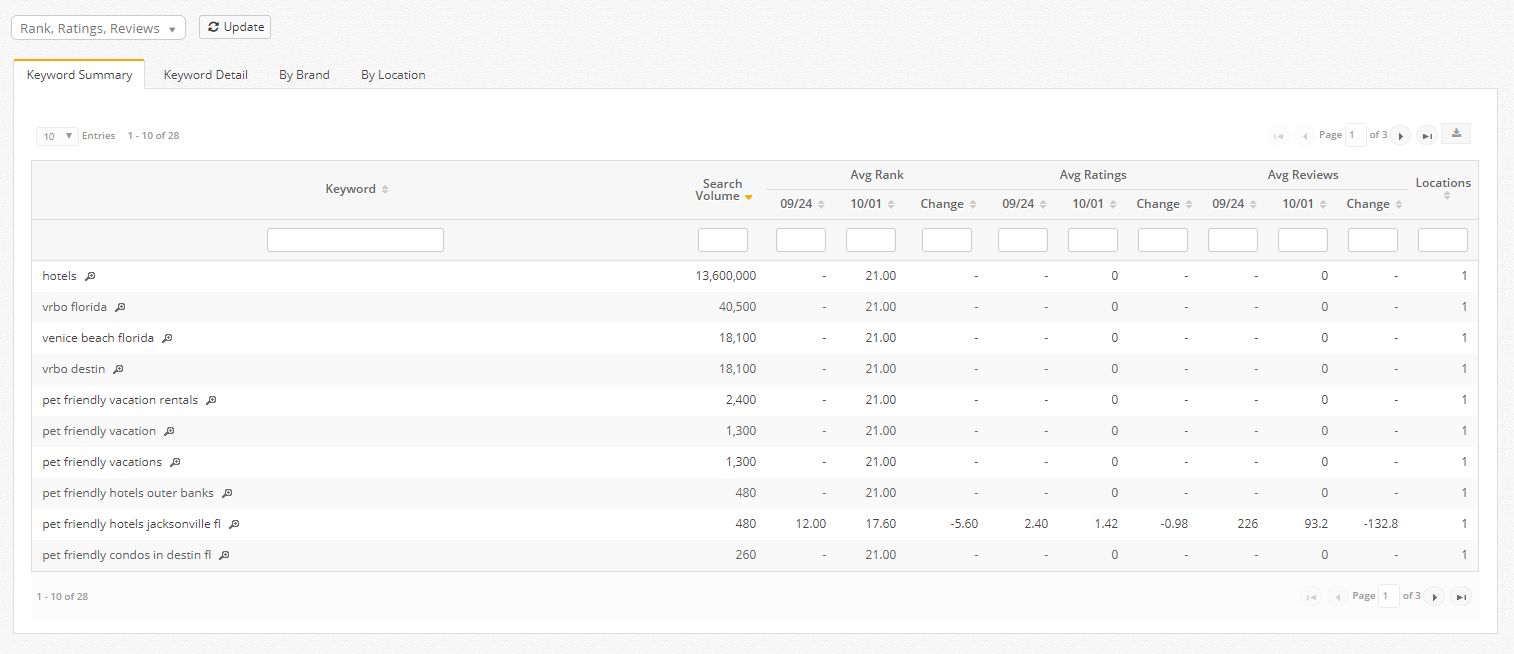
Google Maps: Keyword Summary: This table displays the keywords being tracked with their average search volume, average rank, average rating, and average reviews based on the number of Google Maps locations.
Google Maps: Keyword Detail: This table displays the keywords being tracked for each location and Brand being tracked, along with the rank, ratings, reviews, and Website URL where present. In some cases, the Website URL is not present for a Google Maps listing and thus no URL would be reflected for that result. The magnifying glass will display the top 20 result set. Brands not ranking in the top 20 results are indicated with a rank of 21, meaning they were not found ranking in the top 20 positions. Search results are case sensitive.
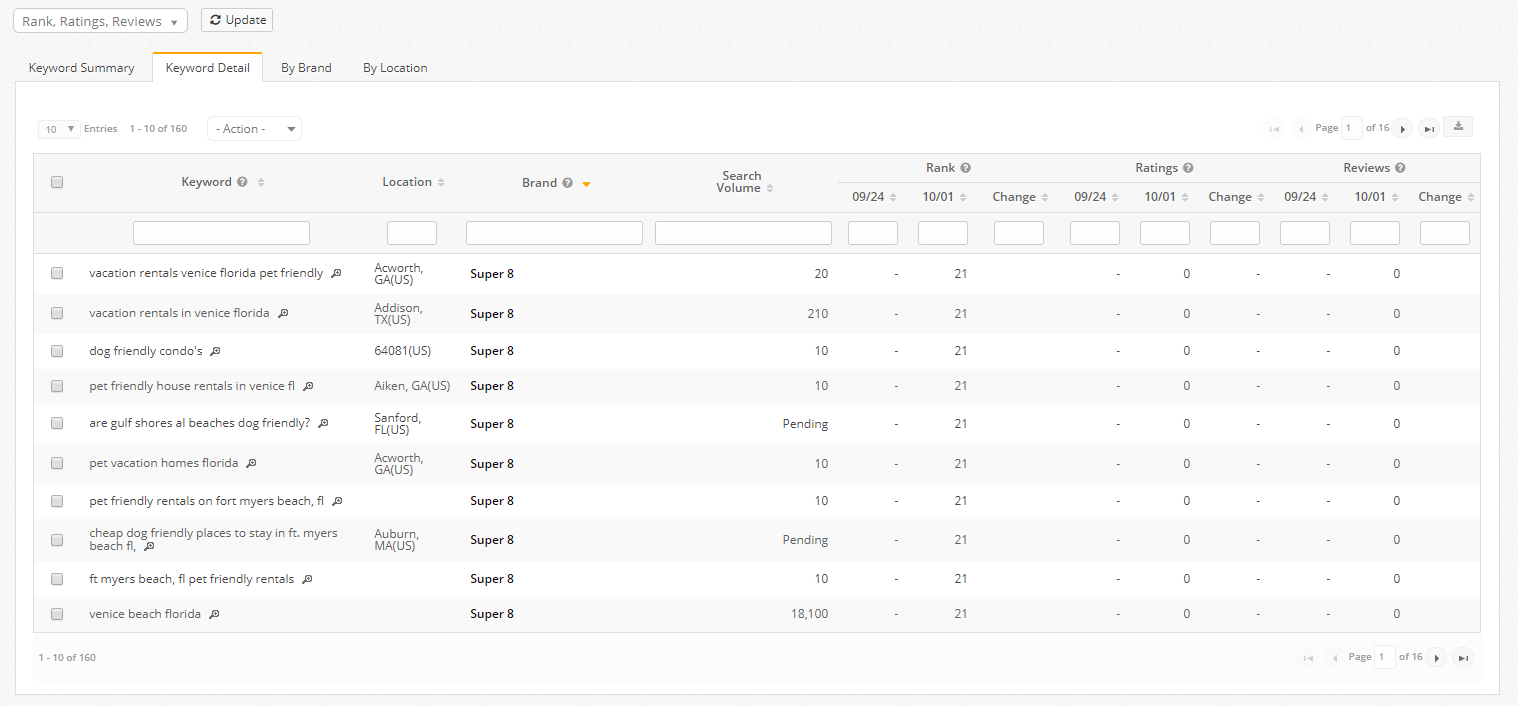
- Unique to Keyword Details tab is the download option Download All Rankings. This download includes Date, Location, Keyword Rank, Brand, Website URL, Rating, Reviews, and Ad Result.
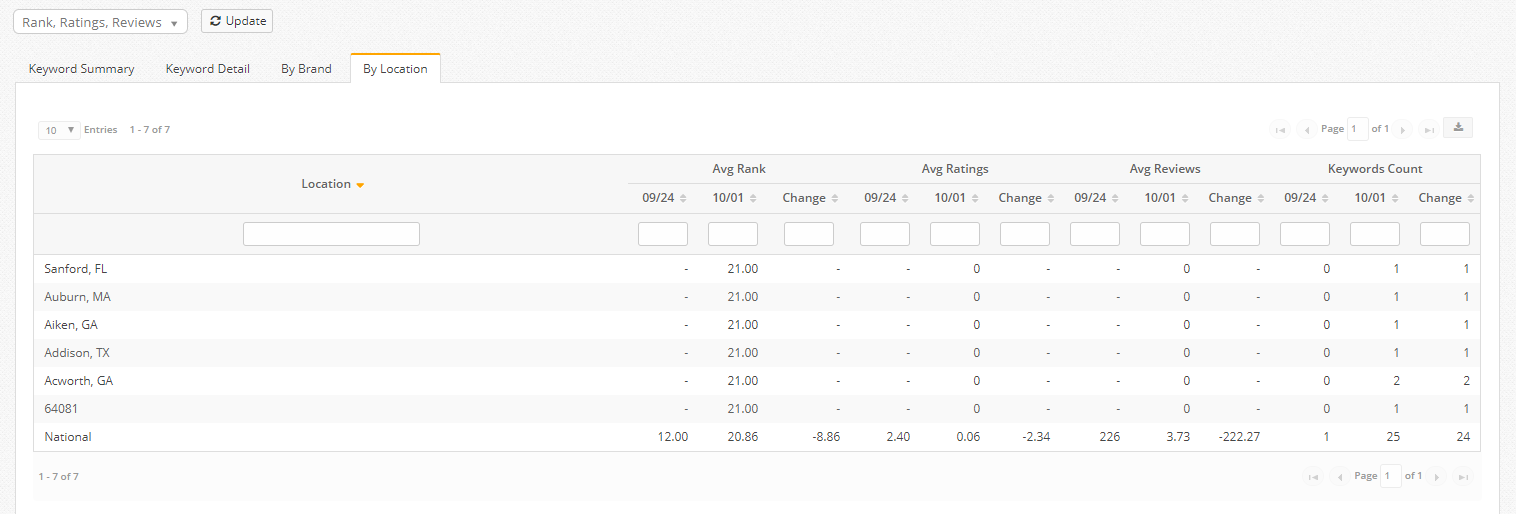
Google Maps: By Location: This table displays the average rank, average rating, average reviews from Google Maps and count of keywords based on the locations being tracked.