How is the Arc AI Search Visibility percentage calculated?
Understanding Arc AI Search Visibility
Arc AI Search Visibility helps you understand how often your brand appears in AI-driven search results. Here's a breakdown of how it works:
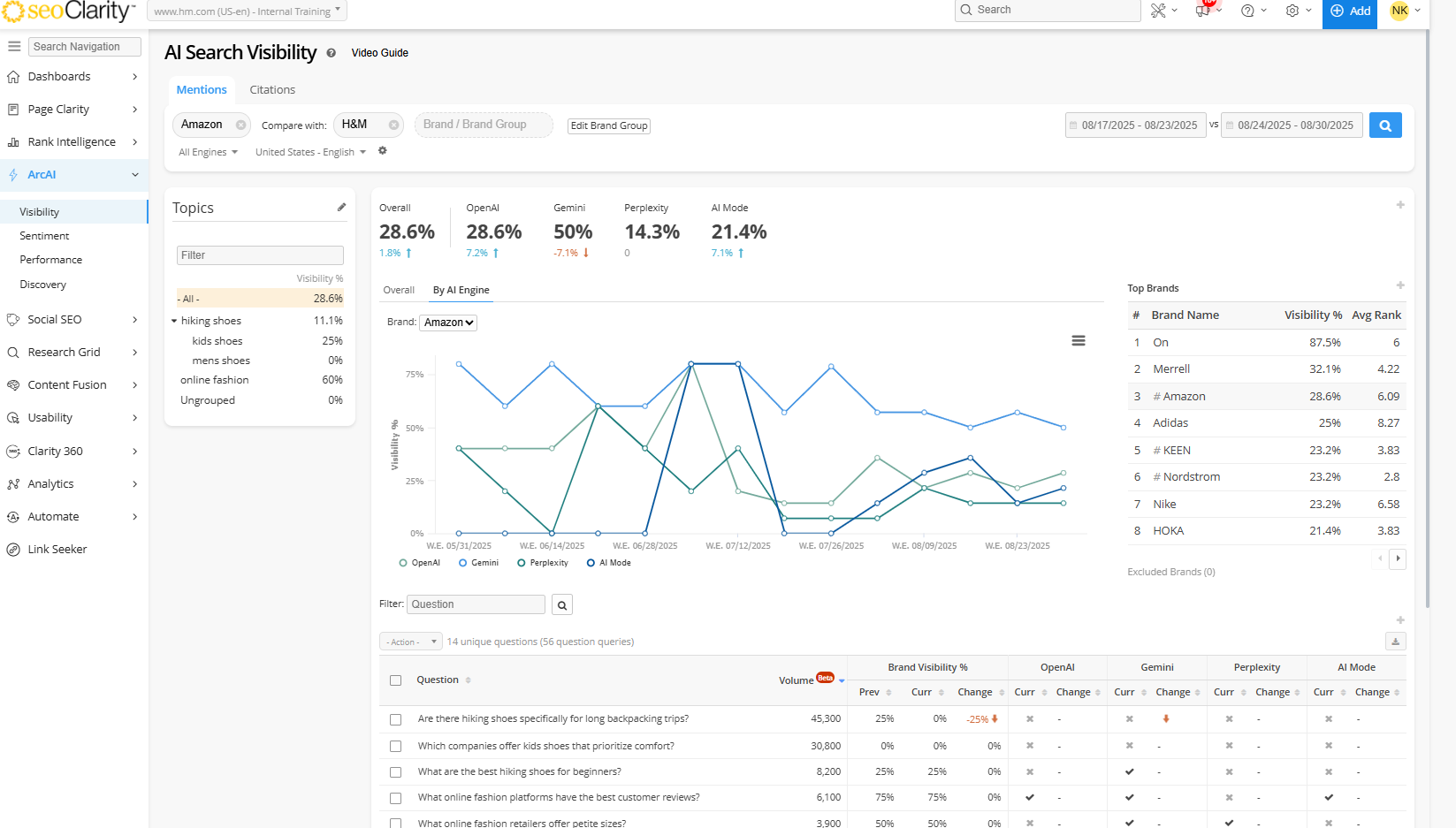
Mentions Tab
Brand mentions are instances where your brand is mentioned in text, without any accompanying links.
- Brand Visibility %: This percentage shows how often your brand is mentioned across all AI models. It is calculated by dividing the number of prompts where your brand is mentioned by the total number of brand mentions found.
- Brand Visibility % = (Number of prompts mentioning your brand / Total brand mentions found)
- Search Visibility %: Located in the summary boxes, this percentage indicates how frequently your brand is mentioned in relation to all the questions used to research a specific topic. It is calculated by dividing the number of times your brand is mentioned by the total number of questions.
- Search Visibility % = (Number of brand mentions / Total number of questions)
Citations Tab
- Citations: Displays the sites that are found as referenced citations in AI search results. They are the websites identified as sources in AI search results, typically including a link to the original site. A Citation serves as a reference point, highlighting sites that provide authoritative and relevant information used in the search results.
- Visibility = The number of questions your domain is cited in / the number of questions that your domain is tracking.
- Total Occurrences: Displays the total number of times the respective site is referenced as a source across all relevant questions.
By understanding these metrics, you can gain insights into your brand's presence and visibility in AI-driven search environments.