App ID settings
Overview
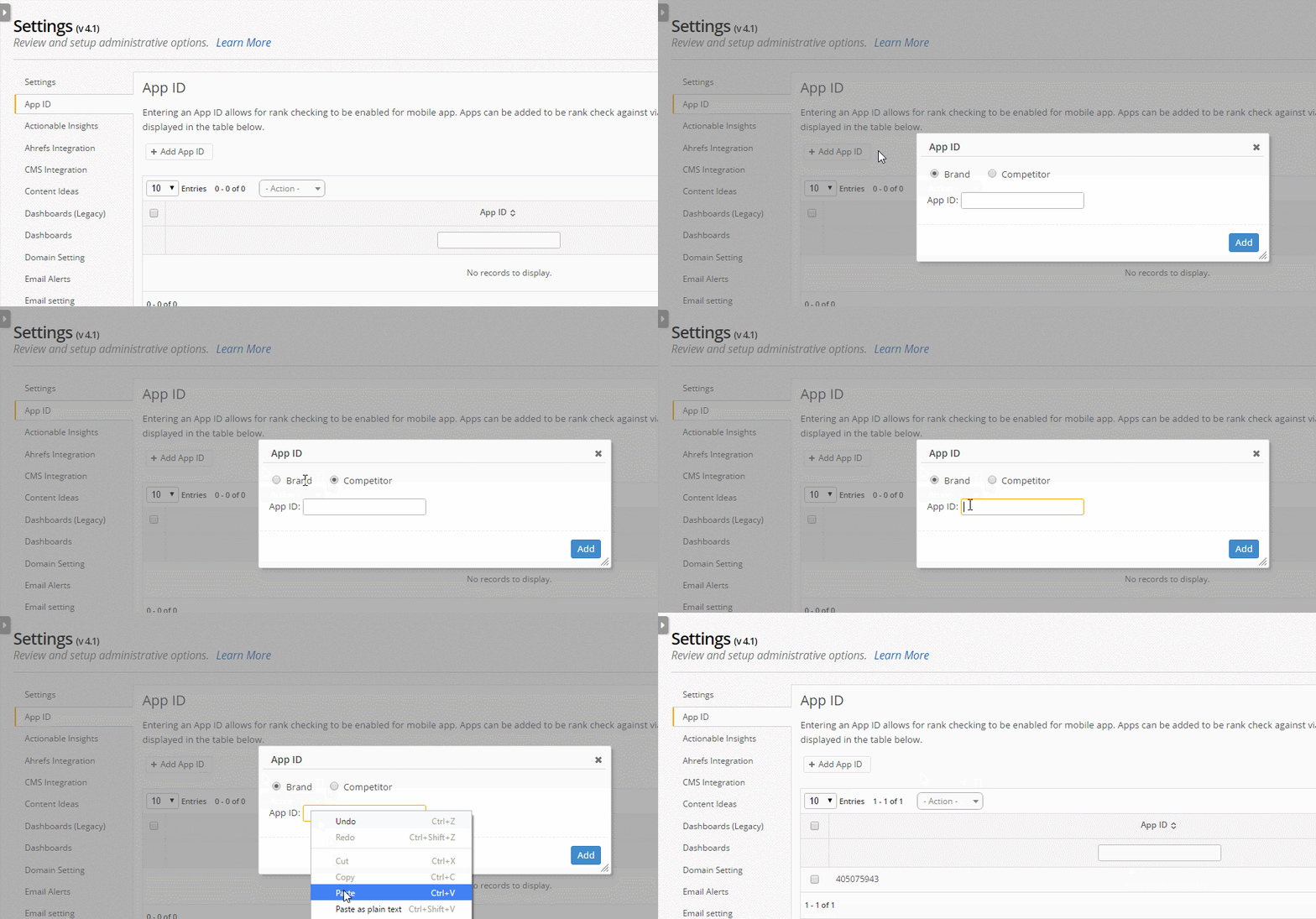
Entering an App ID allows for rank checking to be enabled for mobile app. Apps can be added to be rank check against via the Add App ID button, these will then be displayed in the table below.
Retrieve App Store ID
Track the rankings of your mobile application or a competitor's application in your seoClarity account just by adding the app ID number. To start tracking the mobile app, you will need to find the ID number based on the itunes.app.com URL. Android App tracking is not yet available.
The way to get the iTunes App ID is to find the URL. There are a couple of ways to go about doing this. One way to do it will require having iTunes on your computer. If you have iTunes on your computer, locate the app in the iTunes App Store. Once you find it, click into it and then copy the link. The link you copy will have the 9 digit ID number that you are looking for towards the end of the URL -
https://apps.apple.com/us/app/alltrails-hiking-mountain/id405075943
Another way to look for your App ID number is to go to the Apple App Store. Using this method, you will have to find the correct category first and then look it up alphabetically. Once you do find the app, you click the link. The URL that is shown when you click into it will be similar to the one above.
App ID settings
SERP Features
Once the data is captured and process, you will be able to see it within the App selection of Mobile option found in the SERP Features section.