What operators can I use to filter in the text boxes?

What operators can I use to filter in the text boxes?

The text box search functionality is dependent on the type of data contained within the column. Text data is filterable by text strings and does not use a symbol based filtering system. Numeric data is filterable by numerals and can be further segmented with the following symbols:


Symbol Name
> Greater Than
< Less Than
= Equal To
!= Not Equal To
[ ] Range 


You can also utilize brackets [ ] to filter for a certain range of rankings.  For example, if you want to compare rankings 1-10 for one date and 11-20 in another you can use [1-10] in the first filter box and [11-20] in the second. This is primarily used in the Rank Clarity feature and not all tables allow these operators.


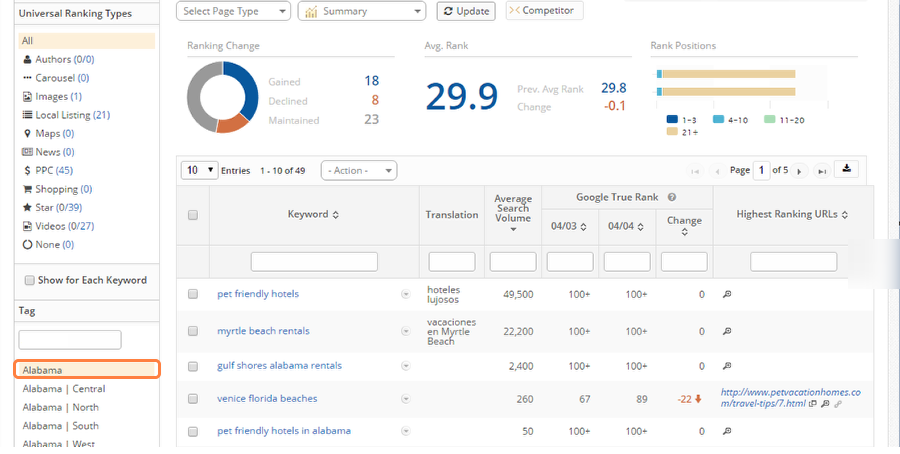
It is possible to exclude keywords from the data table by creating Keyword Tags. Once keywords tags are created, choosing one in the Tag menu will display the desired keywords without using the text boxes for filtering.To learn how to add keyword tags, visit our Keyword Tags.


    • Related Articles

    • Site Audit - Regex Operators

      Site Audit Filter Operations This KB article aims at providing an explanation of the operators and regex patterns supported by Site Audits.  Standard operators Anchoring Most regular expression engines allow you to match any part of a string. If you ...
    • Where can I see data for Google's Answer Boxes?

      Answer boxes, also known as featured snippets, are now a common feature in search results as people are typing full questions instead of just keywords. For example, someone might ask “Where is the nearest coffee shop?” or “What year did Hanson ...
    • Why does Link Clarity say "No anchor text matched for targetUrl" even though the anchor text is correct?

      Link Clarity alerts you with "No anchor text matched for targetUrl" when the anchor text seoClarity has stored doesn't match what is currently on the link partners page. When checking your link partner's page for your anchor text, it is important to ...
    • How do I determine the value of a specific backlink?

      To determine how valuable a backlink is to your site, go to Research Grid > Domain/URL Backlinks. Search for the partner URL or domain you want more information on using the URL filter. Note the number of unique backlinks and anchor text for the ...
    • Filters: Keyword Search Intent Types

      Search Intent Filter overview Keyword Search Intent allows for the ability to create filters for a variety of keyword data based on a specific pattern, so as to view the performance of the varying keyword segments. Background & Requirements for ...