Internal Links Analysis
Internal Links Analysis Overview
Internal Links Analysis is a summary of the internal (own domain) linking data based on a Site Audit crawl. Internal Links data takes up to 24 hours to process once a crawl is completed and is based on indexable (200 response code pages)
Background & Requirements
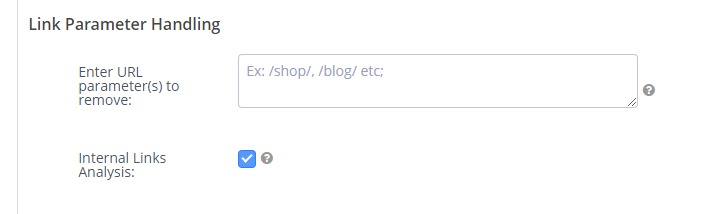
A crawl must be completed with the Internal Links Analysis option enabled. Data is processed, summarized and displayed on the Internal Links report thereafter. Enabling this option in Site Audits can be seen below:
Internal Links Analysis Use Cases
- Find links pointing to pages that are broken, canonicalized, or redirected.
- Clearly indicate topic relationships to search engines.
- Optimize anchor text.
- Identify high-value pages with low link count. Learn more
- See also The Ultimate Cheat Sheet on Internal Analysis for SEO for tips on conducting an analysis and applying its findings.
Internal Links Analysis
Internal Link Analysis charts
Analyzed: Displays the count of URLs analyzed, the total crawl depth, count of URLs blocked from crawling and count of URLs crawled with a canonical.
Link Relationships: Displays the total count of internal links, broken down based on Follow or NoFollow directives.
Page Status: Displays the summary of response codes for 2xx, 3xx, 4xx, and 5xx statuses based on the analyzed URLs.
Link Distribution: Displays the average or total count of links by crawl depth (depth can be though of as the number of links away from the starting URL).
Page by Links: Displays the count of pages based on count of inbound links.
Internal Link Analysis tables
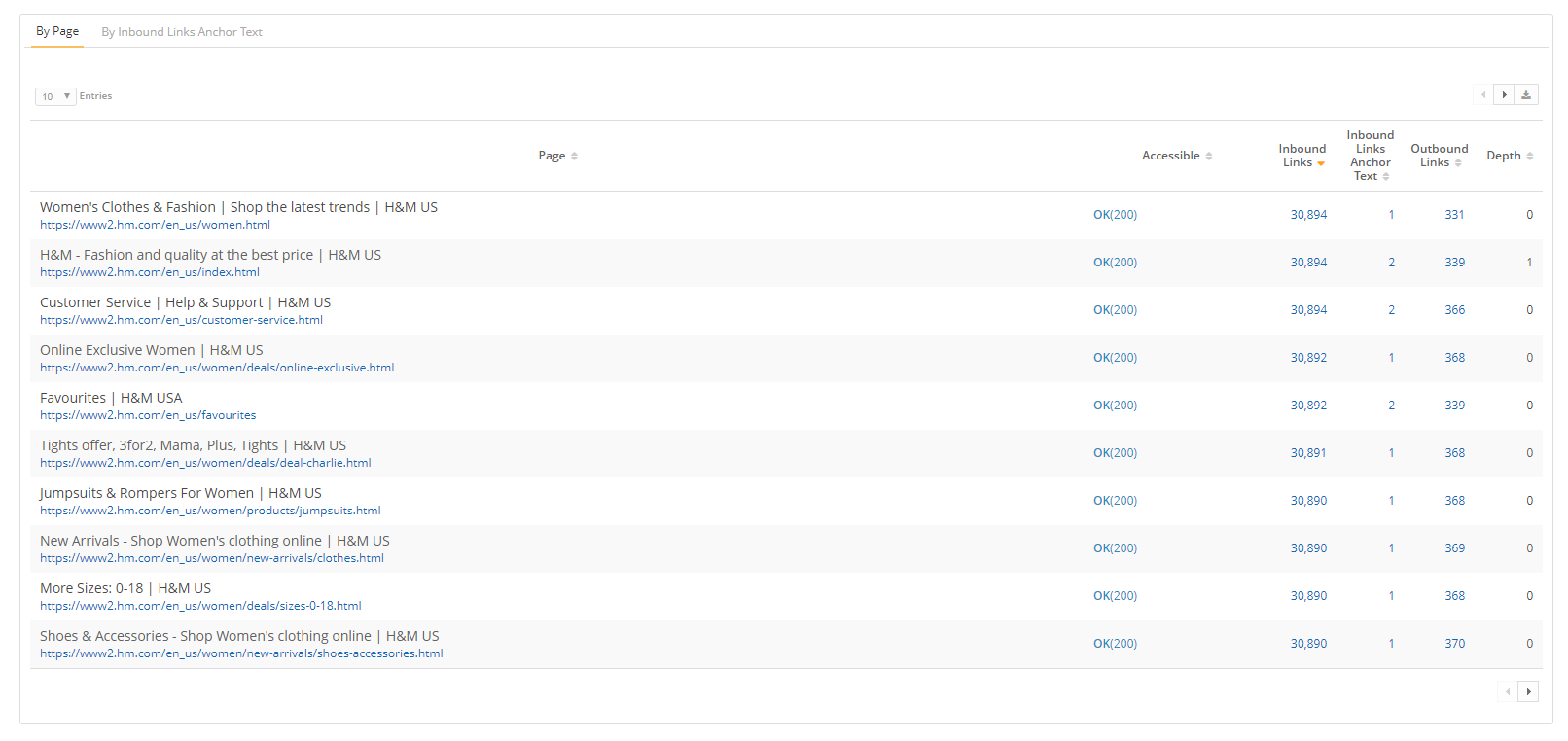
By Destination URL: Displays the crawled URL, Page Title, whether it was accessible based on response code, the count of inbound internal links, the count of unique anchor text, the count of outbound links, and the depth the URL was found at when crawled.
Internal Link Analysis Filters
Anchor Text: Filter for the anchor text to the page based on the criteria: is, isn't, contains, does not contain, starts with, ends with, or a Regex pattern
Page Title: Filter for the page title based on the criteria: is, isn't, contains, does not contain, starts with, ends with, or a Regex pattern
Destination URL: Filter crawled URLs based on the criteria: is, isn't, contains, does not contain, starts with, ends with, or a Regex pattern
Page Status: Filter the status code returned to the crawler for crawled URLs
Content Type: This allows for nested filtering of pages based on multiple criteria using AND OR statements to be saved and reused.
Depth: Filter for URLs found at specific depth levels based on the criteria: equals, greater than, less than, or between.
Exclude: Filter out sitewide, broken or blocked URLs.
Sitewide links: Select this option to exclude Sitewide links, which are those where the count of internal links is greater than 90% of total pages crawled. This option is available for crawls up to 10 million pages.
Broken links: Select this option to exclude broken links, which are those that did not return a 200 response code.
Blocked by Robots.txt: Select this option to exclude links that are blocked from crawling via the robots.txt protocol.
Follow / No Follow: Filter for URLs where the linking protocol is follow or is no follow.
Canonicalized: Filter for URLs where the canonical is set or is not set.
Page Tag: Filter for managed pages or page tags.