How to Use URL Lists in Search and Site Analytics

How to Use URL Lists in Search and Site Analytics

URL Lists Overview

URL Lists in search and site analytics allows you to create a list of any URLs from your site and filter to see performance for those pages. The included URLs do not have to be in your managed pages.

Watch this video, or scroll down to step-by-step instructions


Create URL Lists

1. URL Lists are located in the left side filter section of both Search Analytics and Site Analytics.
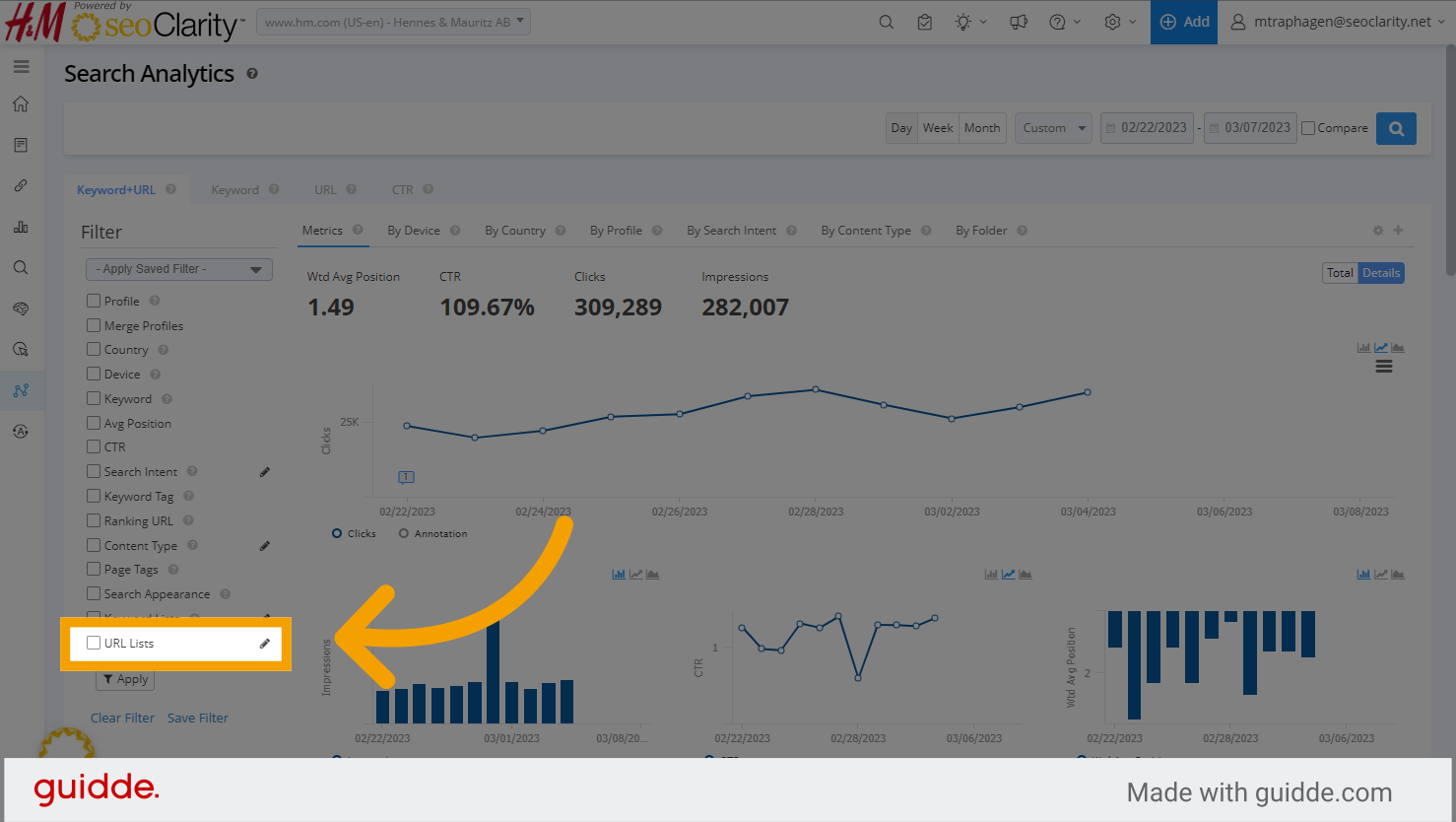
Click Here

2. To create or manage your URL lists, click the pencil icon next to the URL Lists filter.
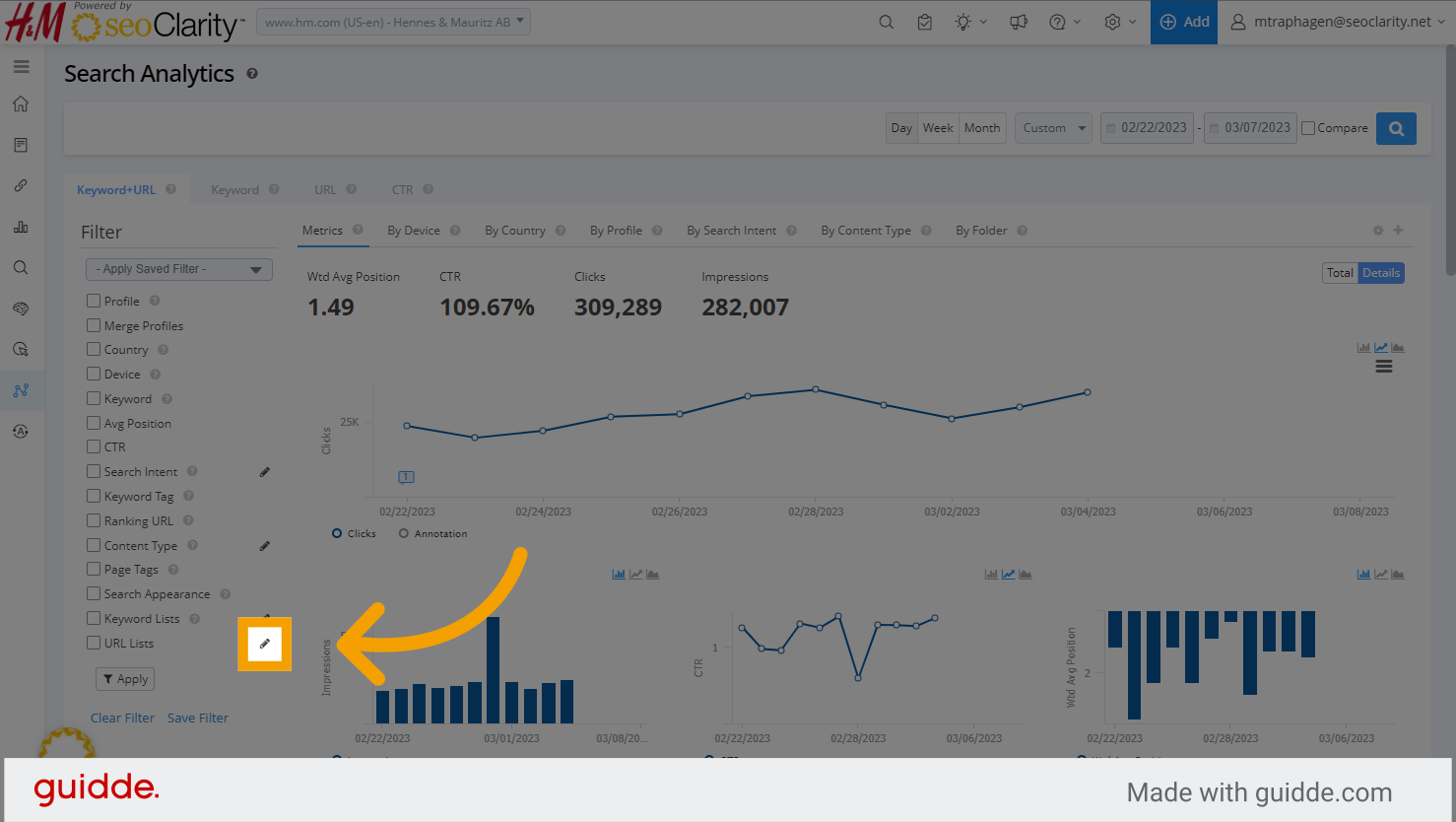
Click Here

3. The right side window will open where you can edit URL Lists' names, delete lists, or create a new URL List.
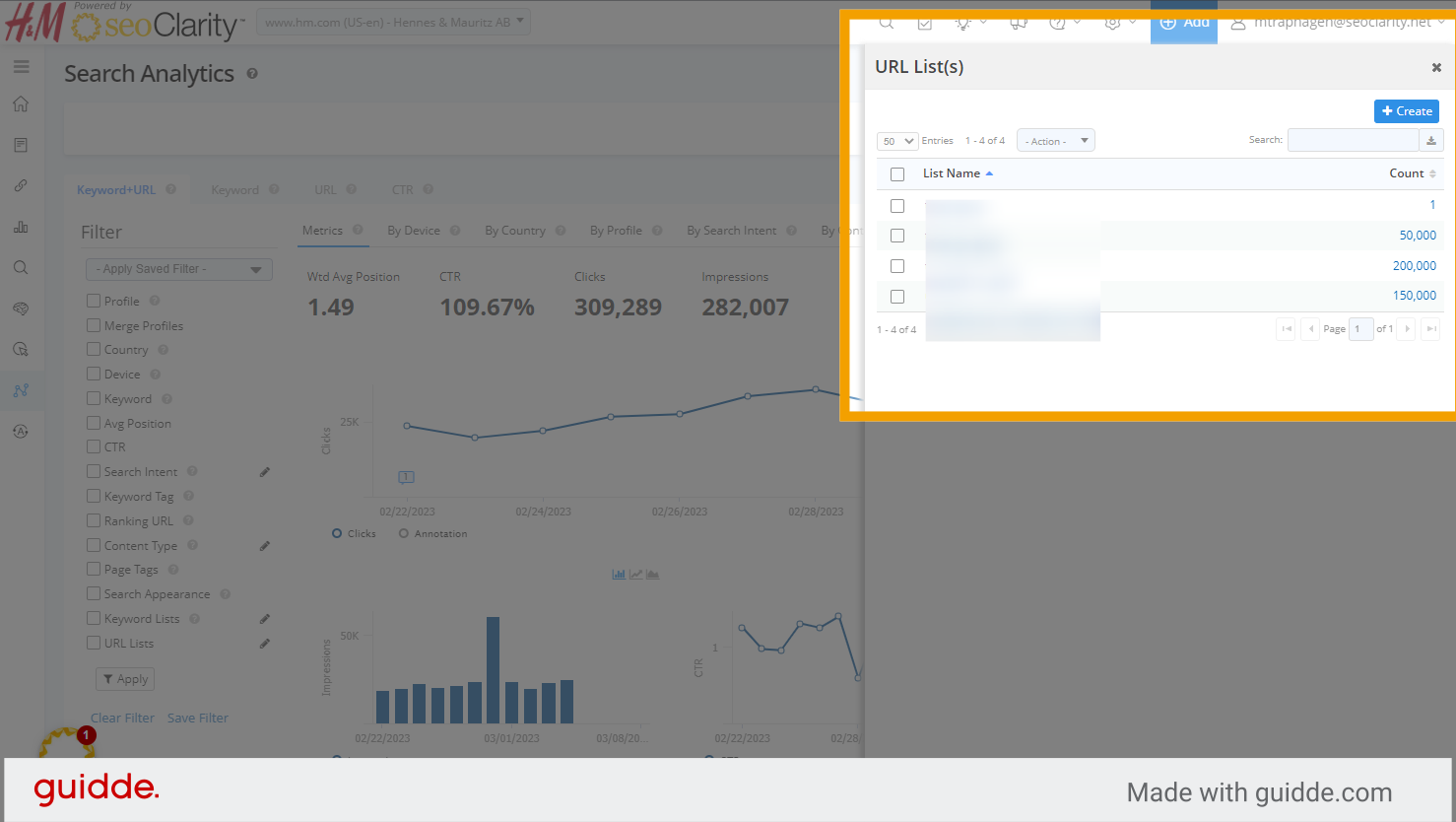
Click

4. To create a new URL List, click the blue Create button.
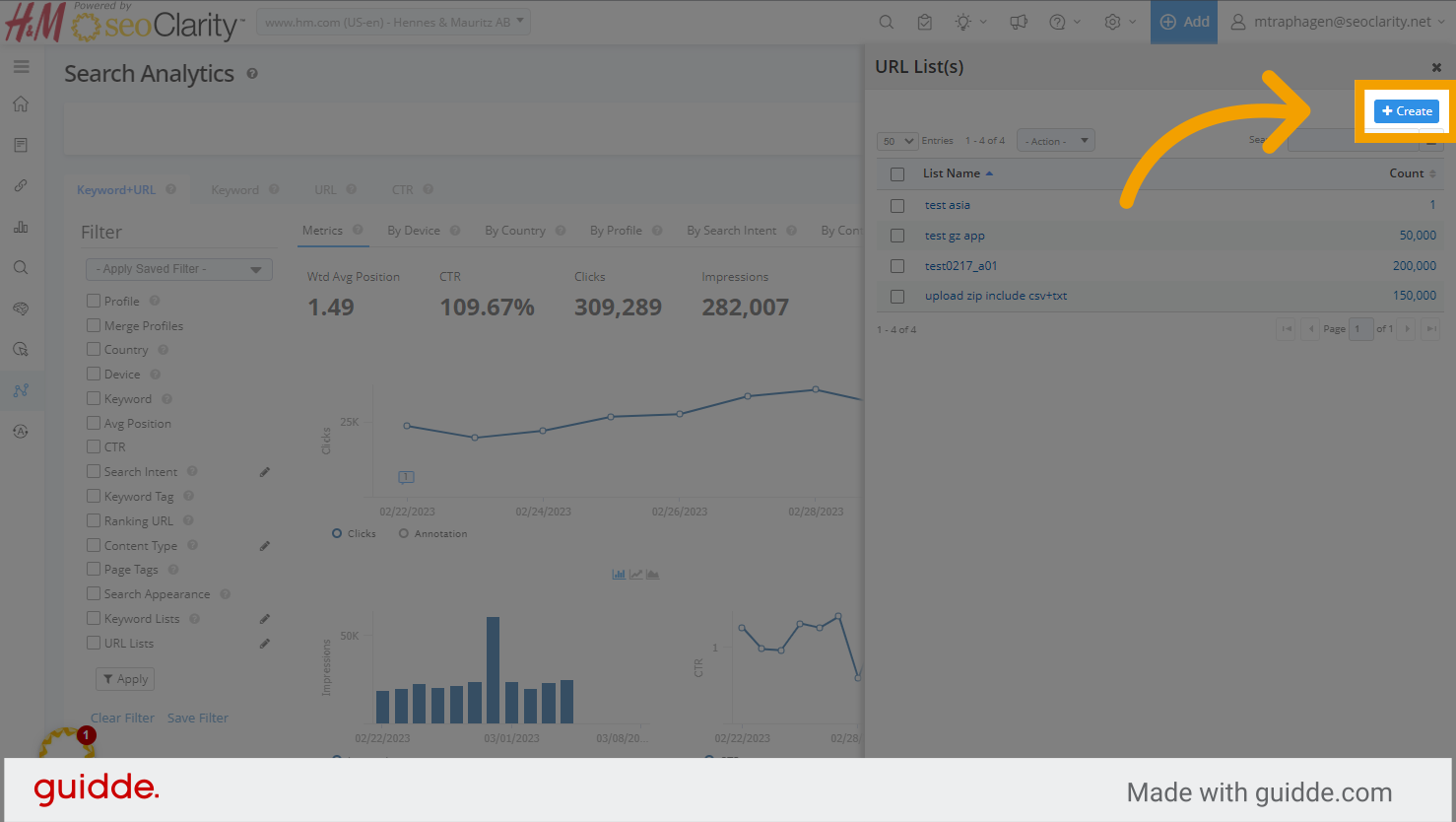
Click

5. Give the new list you are creating a descriptive name.
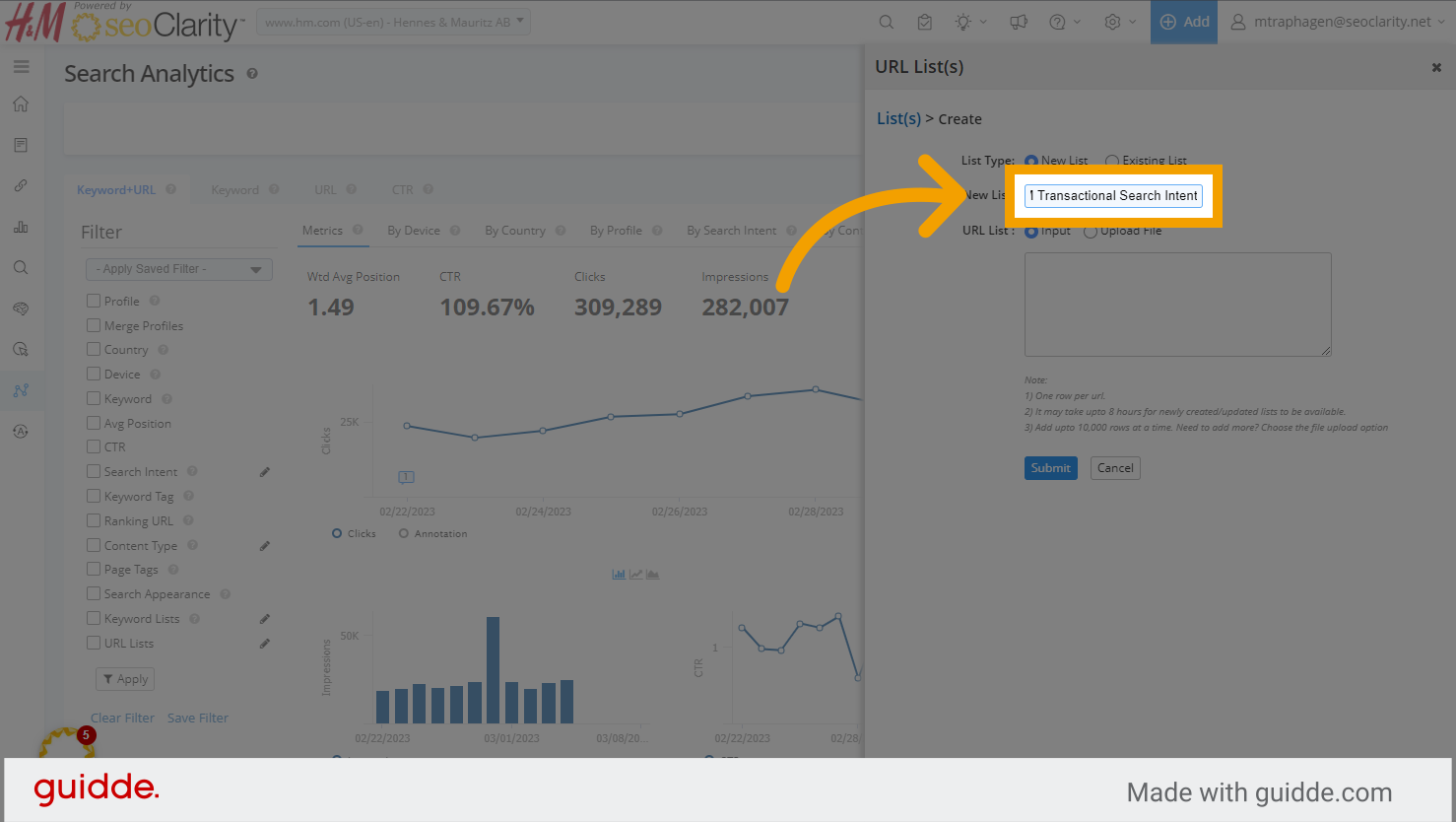
Fill

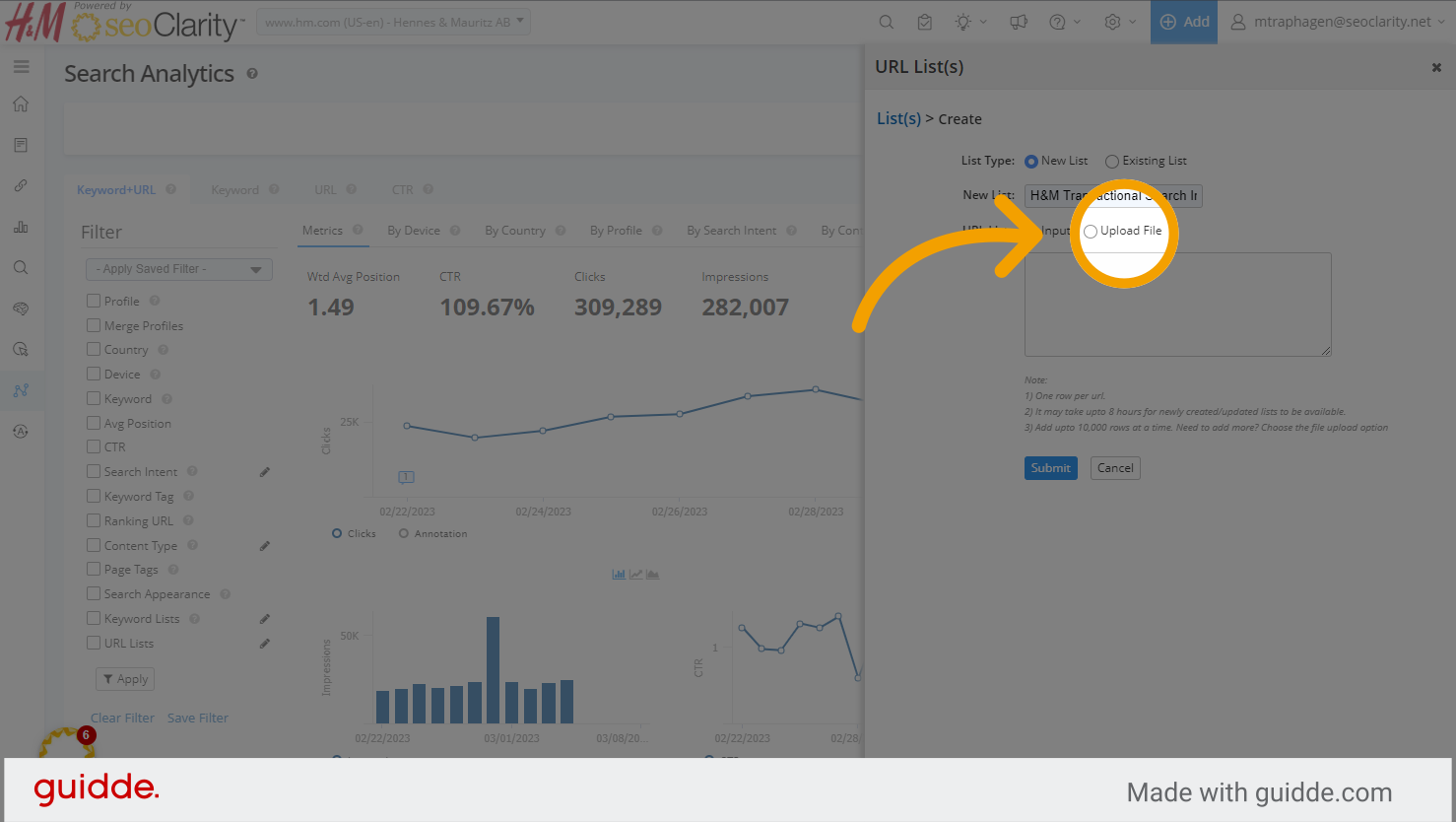
6. Select input type. Indicate if you want to type the list into the field, or upload a file containing the list of URLs. 
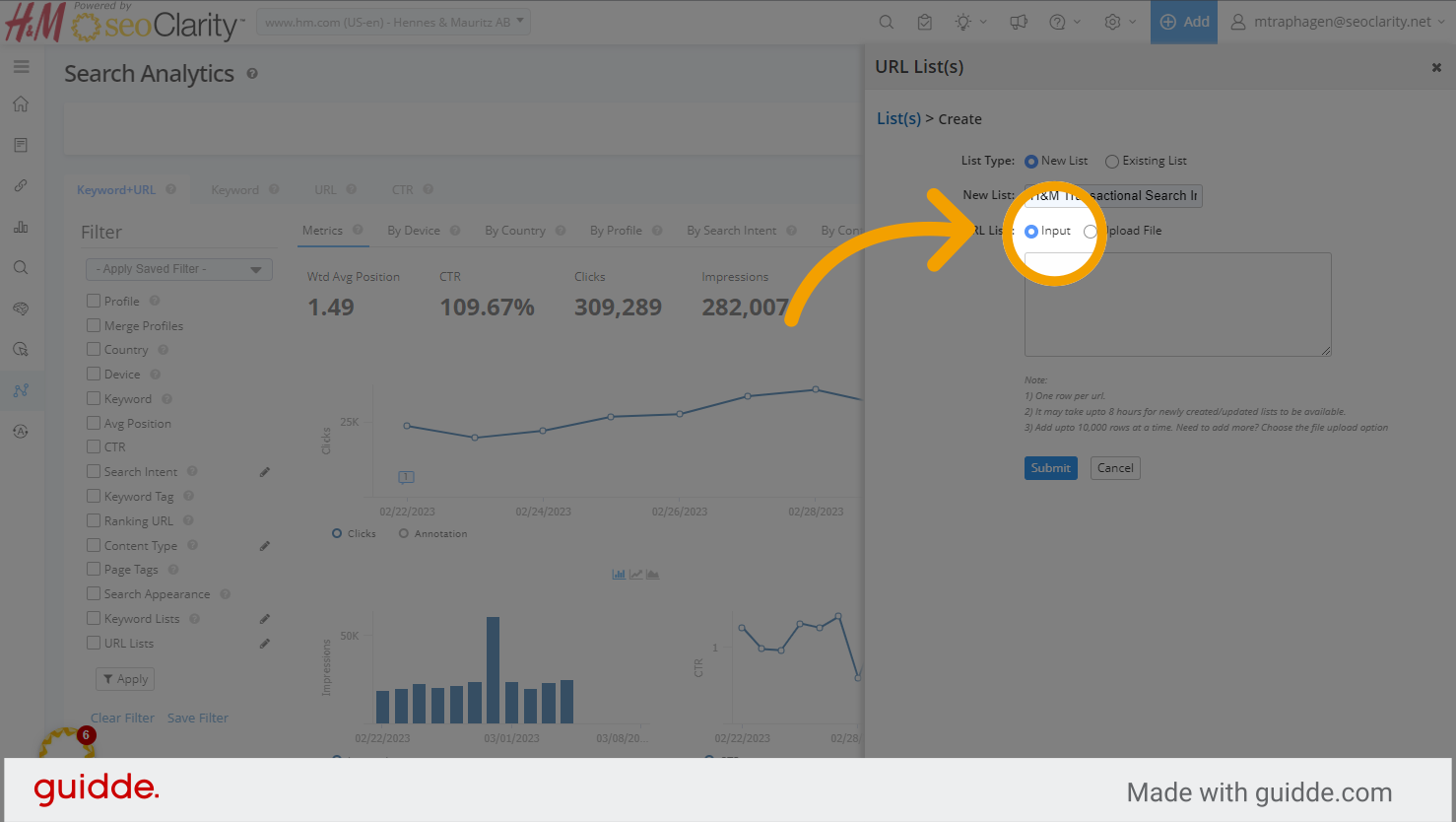
Click

Click

7. Once you've added the URLs for the new list, click Submit. It may take a few hours for your new URL List to be processed.
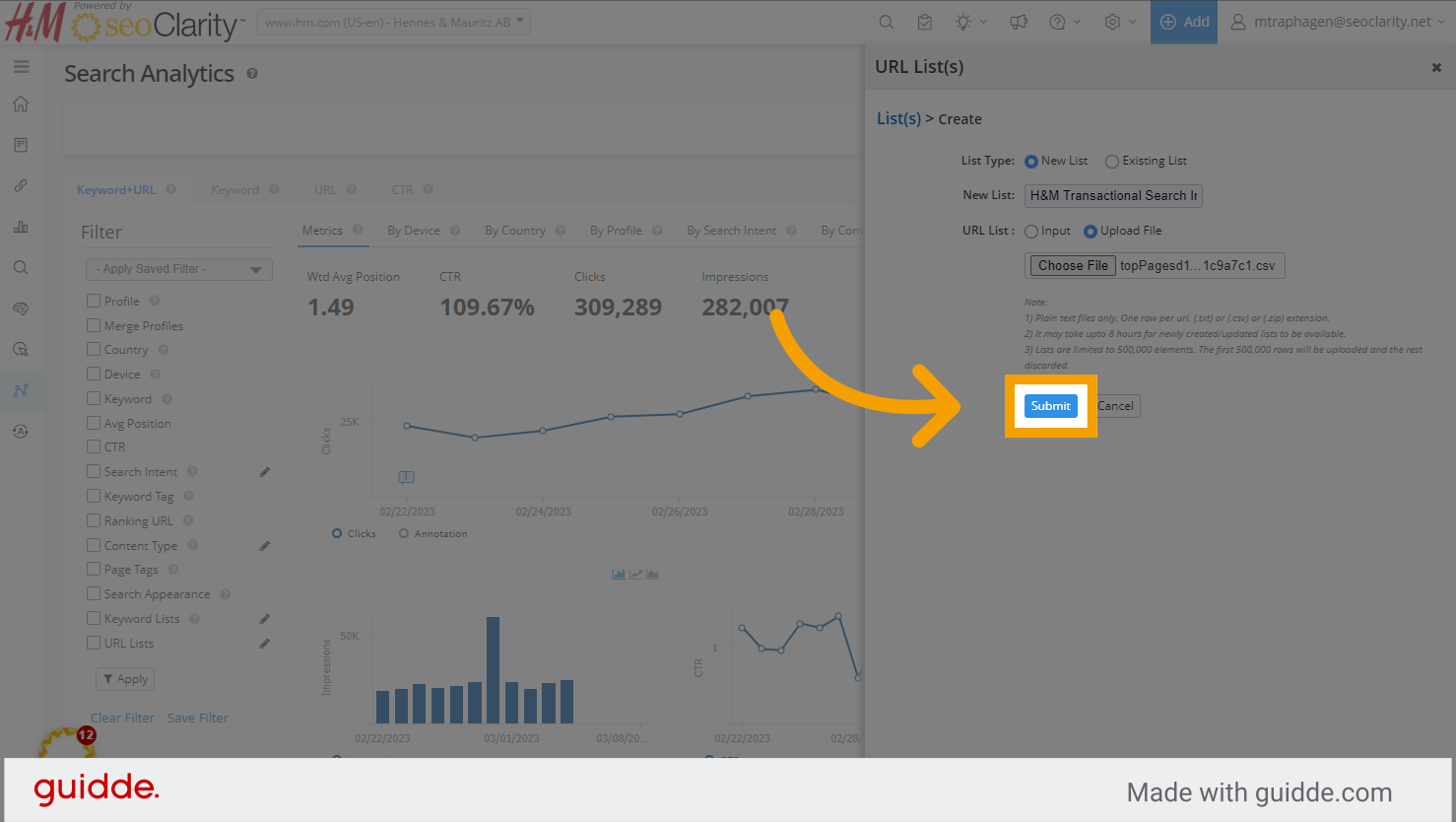
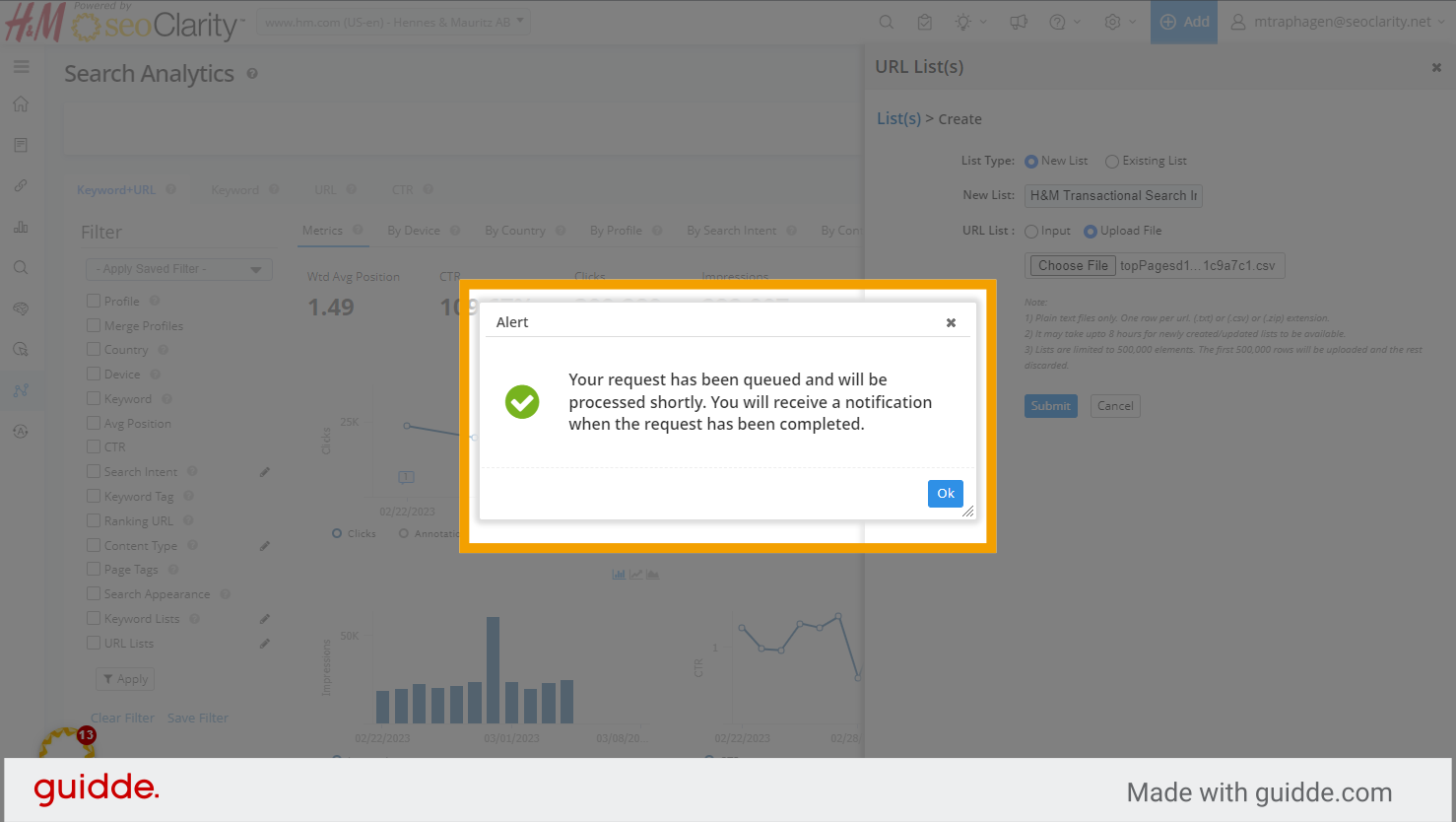
Click

Click

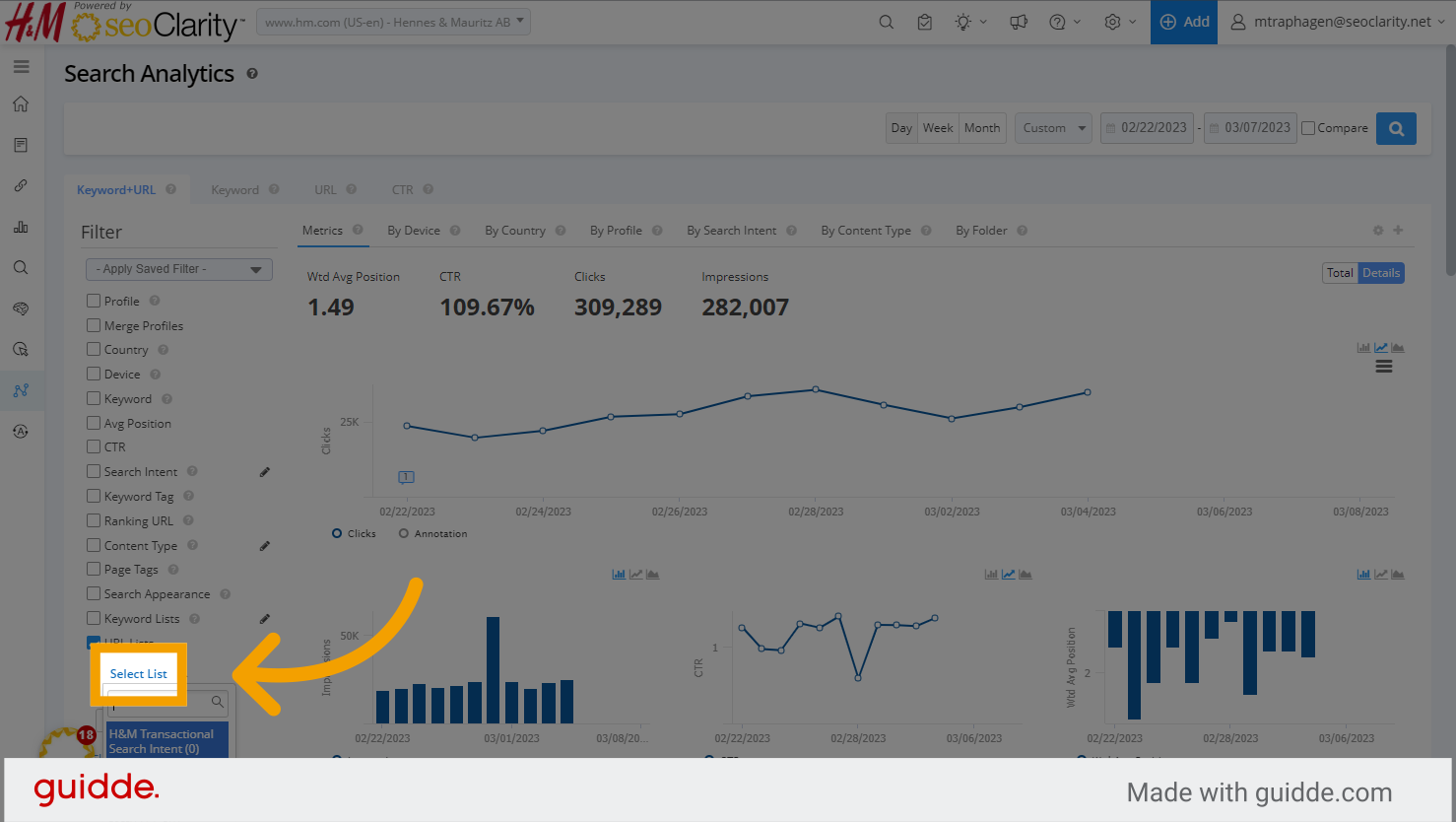
8. On the left side, click the check box for the URL Lists filter. Then Select List.
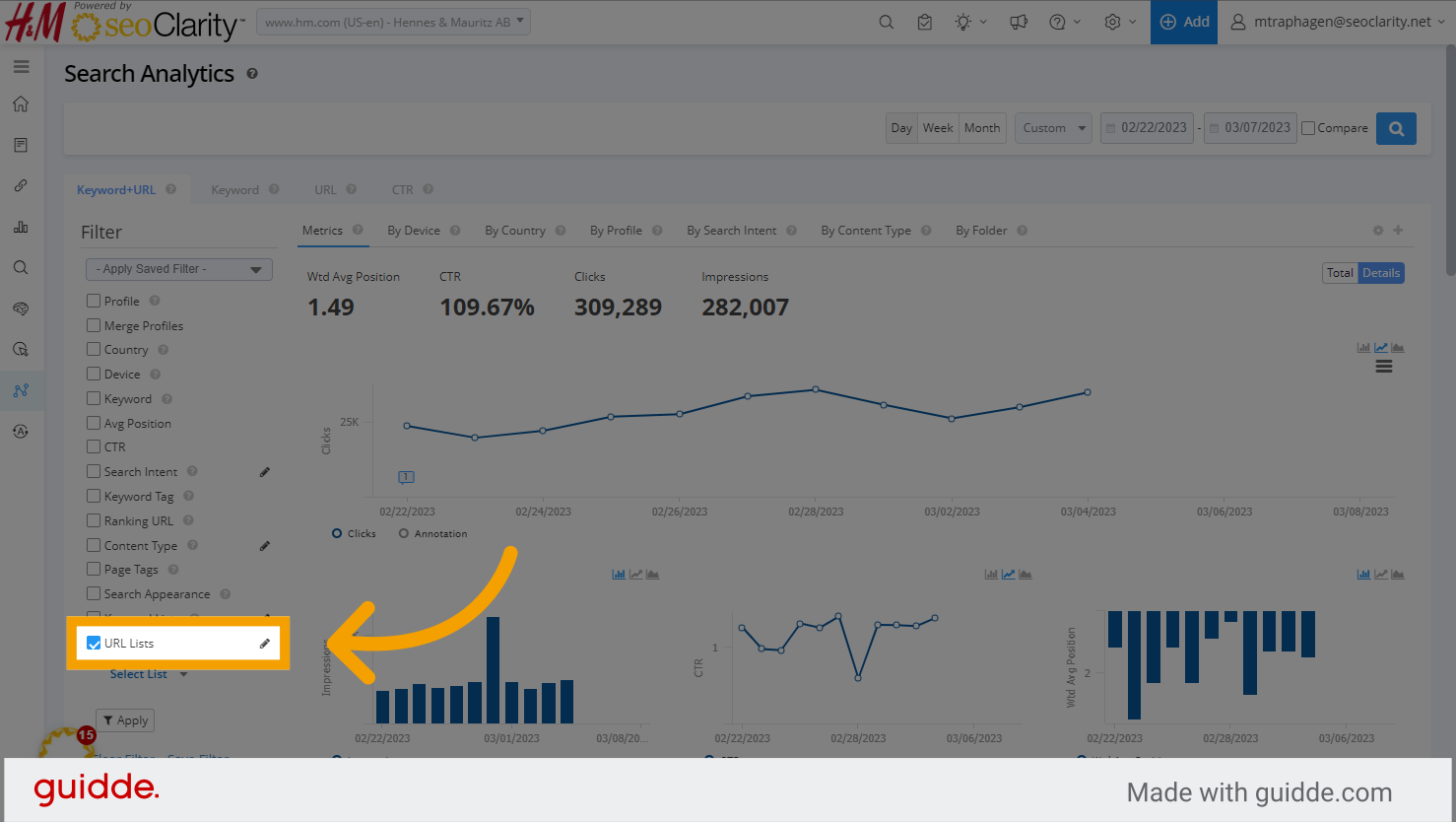
Fill

Click

9. Choose the URL List to be analyze and click Apply to view the analytics for just the URLs in your list.
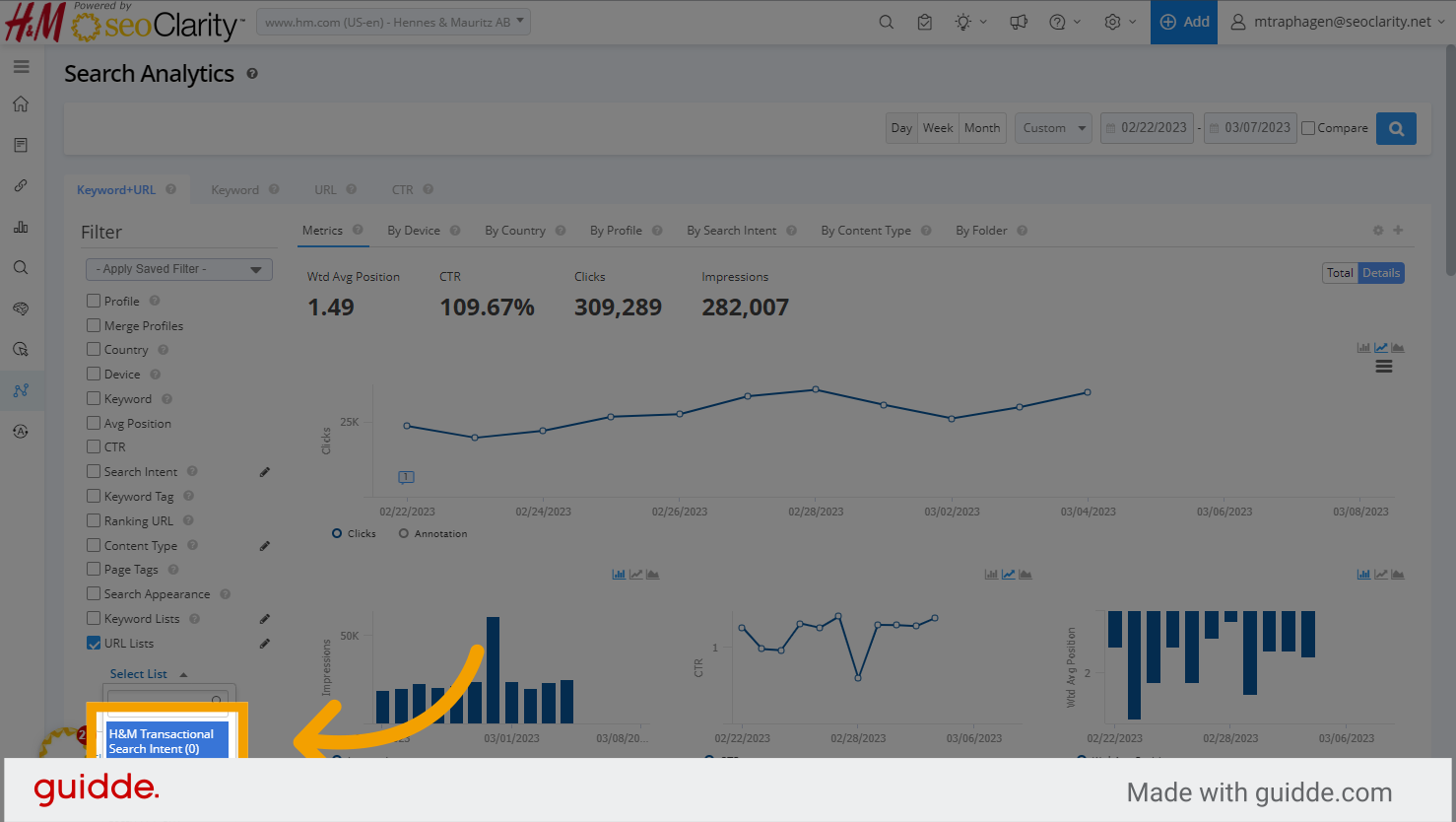
Click


    • Related Articles

    • Search Analytics (Google)

      Search Analytics (Google) Overview Search Analytics provides data based on Search Console producing a great insight into your SEO data and efforts. Syncing your GSC profile with seoClarity keeps all of your data in one spot for ease of use and ...
    • How to Use URL Lists in Search and Site Analytics

      URL Lists Overview URL lists allow for viewing Search and Site Analytics data specific to just pages grouped in the selected URL list. This bypasses the need for filtering a specific URL pattern. The URLs also don't need to be actively managed in the ...
    • Site Analytics

      Site Analytics Overview Site Analytics is a simple way to do a powerful, adhoc analysis on all organic search data based on the integrated analytics platform. Check out the Site Analytics overview video below: Site Analytics Background & Requirements ...
    • How To Find Orphan Pages On Your Site

      One of the best ways to find orphan pages on your site is to compare URL lists from full Site Crawls to other data sources. If you run a full site crawl and download the crawled URLs, then you can compare the URLs from the crawl to other ...
    • Why are my Site Analytics Data Metrics not Populating in Managed Pages?

      If your Site Analytics metrics are not displaying in your Managed Pages, it might be due to a mismatch in the URLs. Often, this happens when one URL has a trailing slash (/) and the other does not. *Typically, the URL in Site Analytics is the one ...