How to Use Traffic Mix Analysis in Site Analytics
Overview
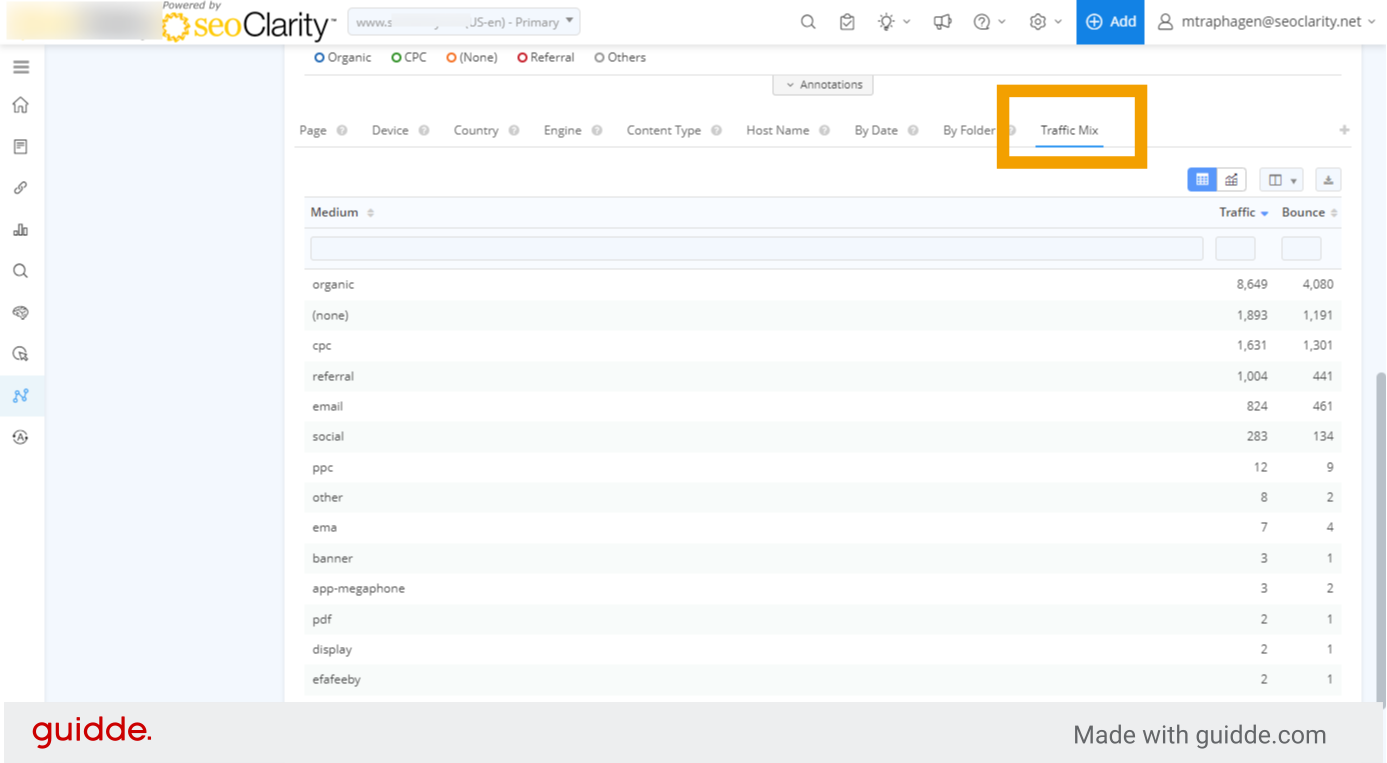
Traffic Mix Analysis allows you to view all your marketing channels in one view.
Requirements
You must have Google Analytics integrated with your account for this feature to appear.
How to Use Traffic Mix Analysis
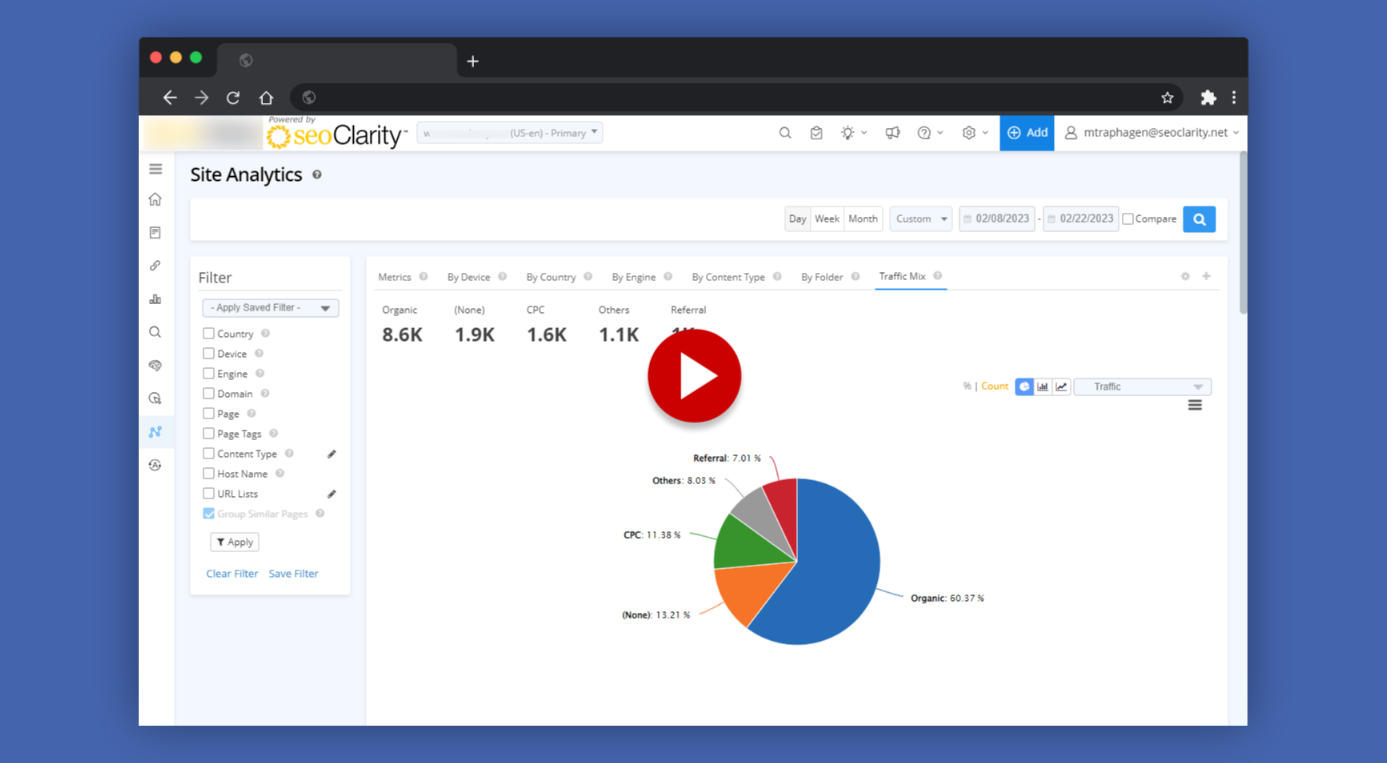
Watch this video, or scroll down for step-by-step instructions.
1. Traffic Mix Analysis in Site Analytics
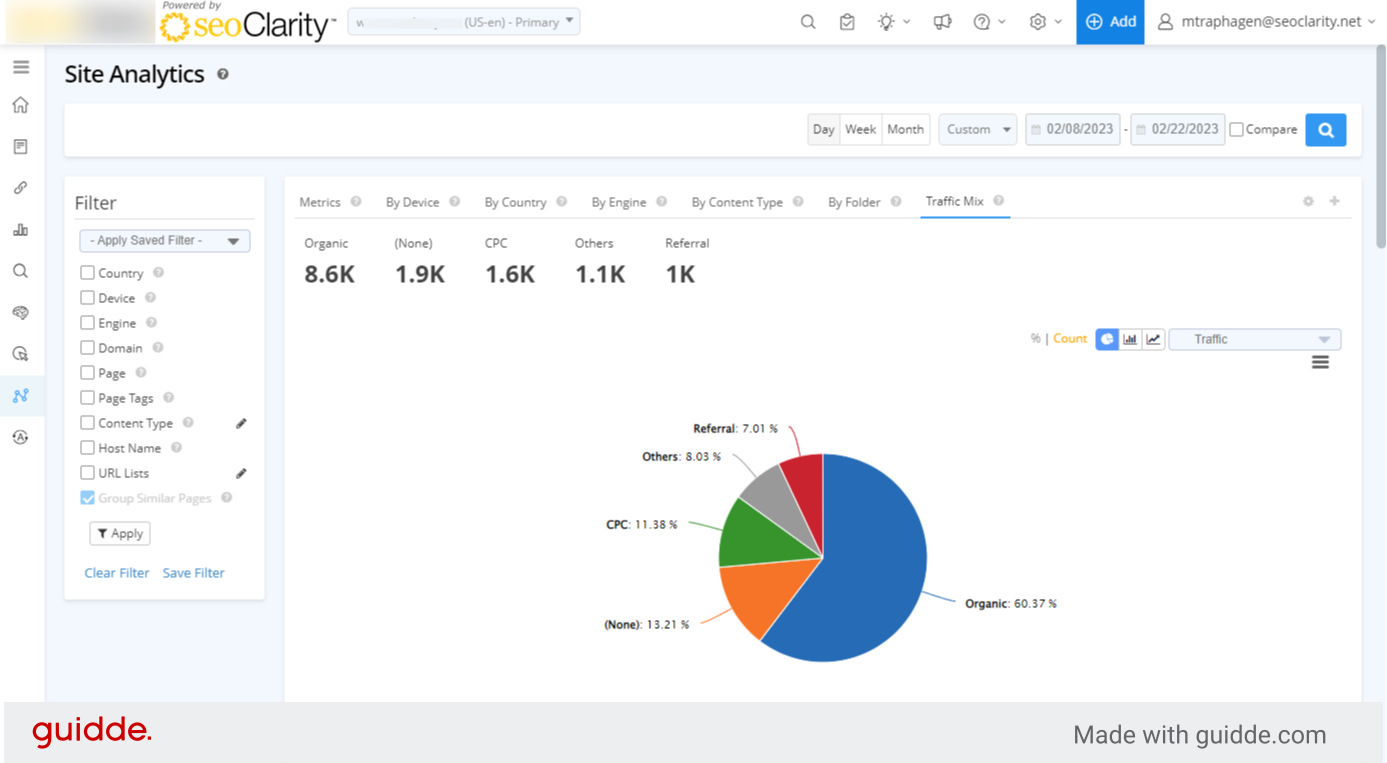
Traffic Mix Analysis in seoClarity Site Analytics allows you to compare all your marketing channels in one view. You must have Google analytics integrated with seoClarity for this feature to appear.
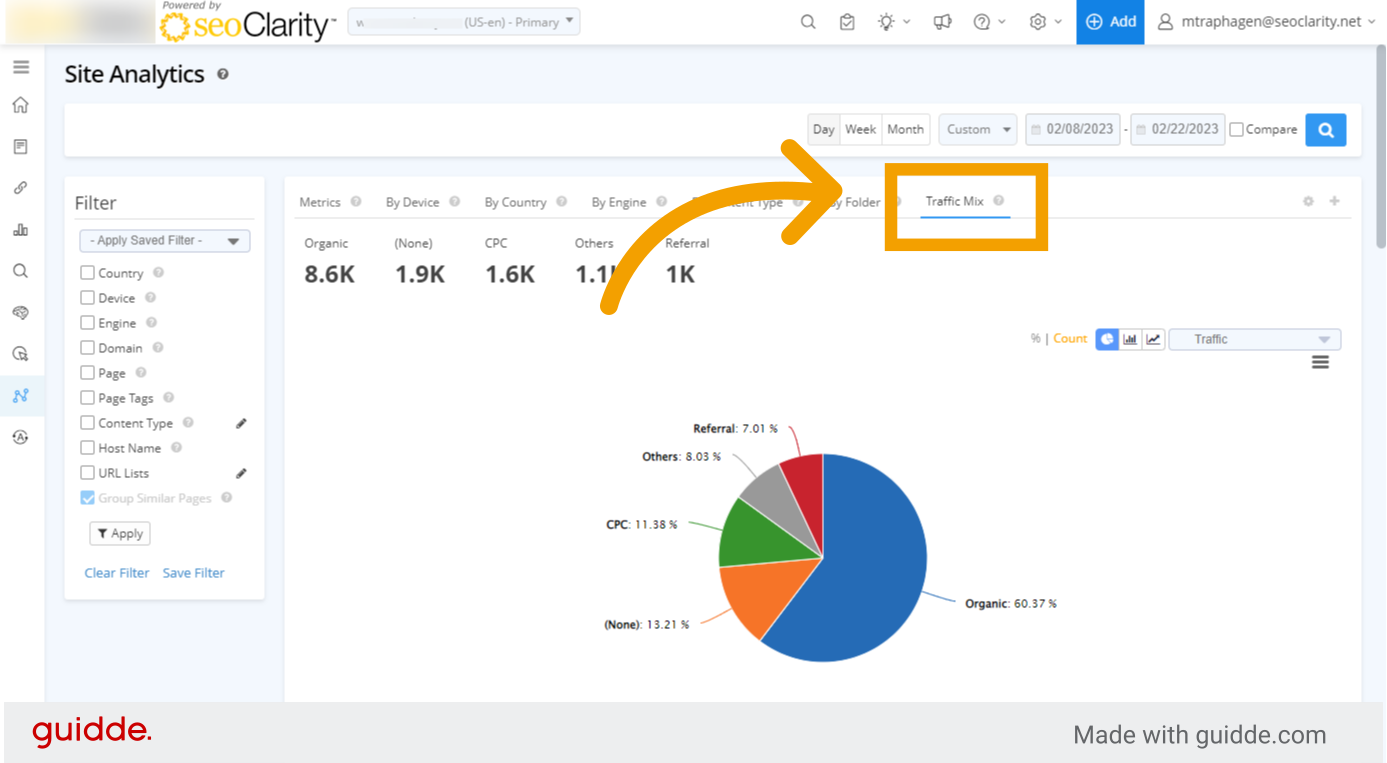
2. Click the Traffic Mix Analysis tab
3. Summary of traffic by channel
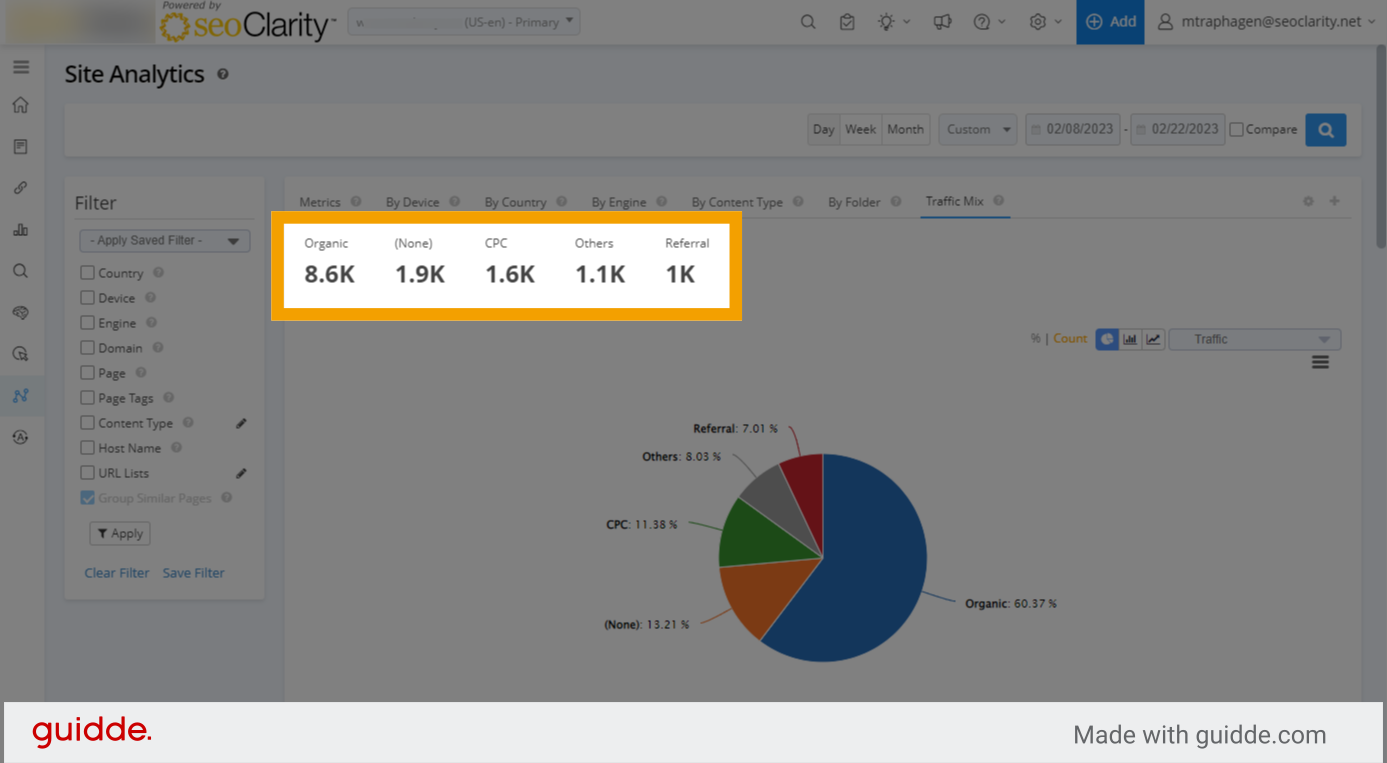
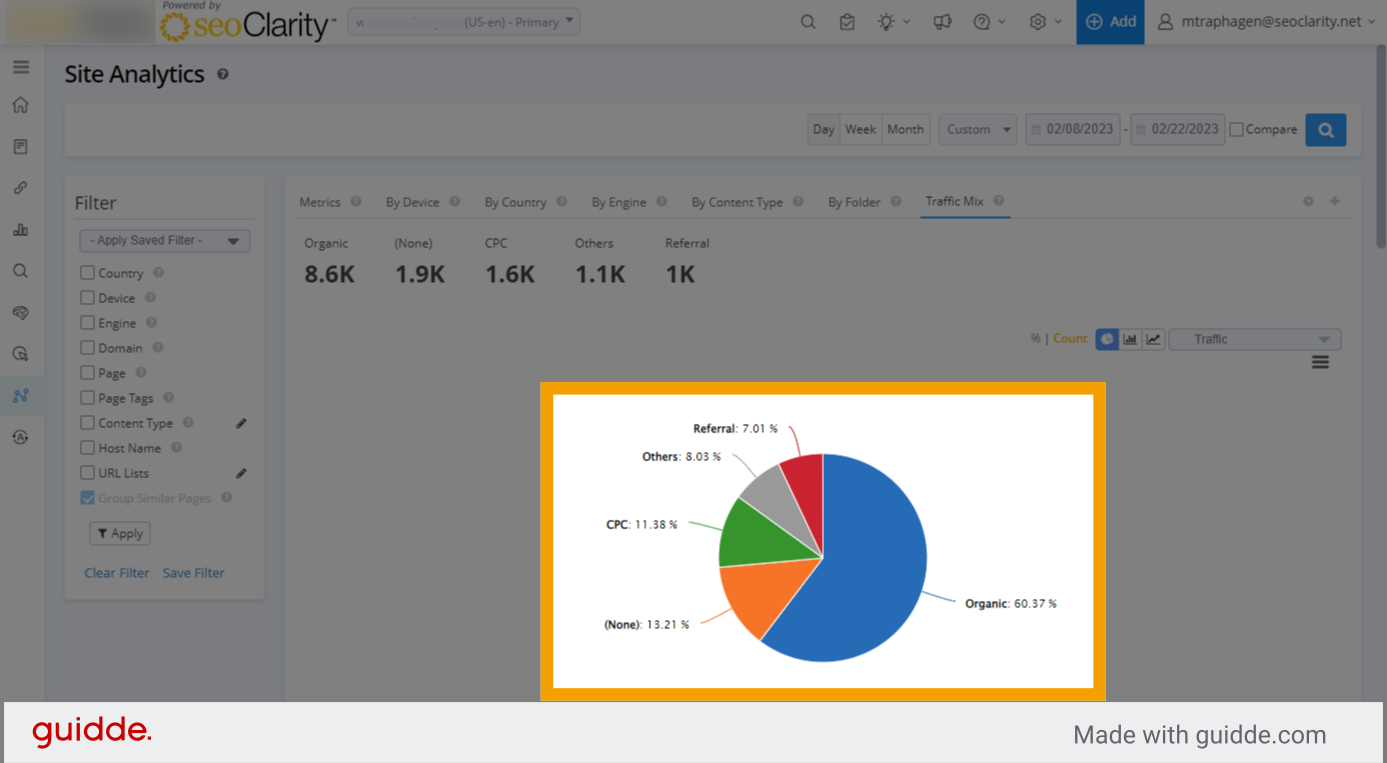
4. Pie chart of data
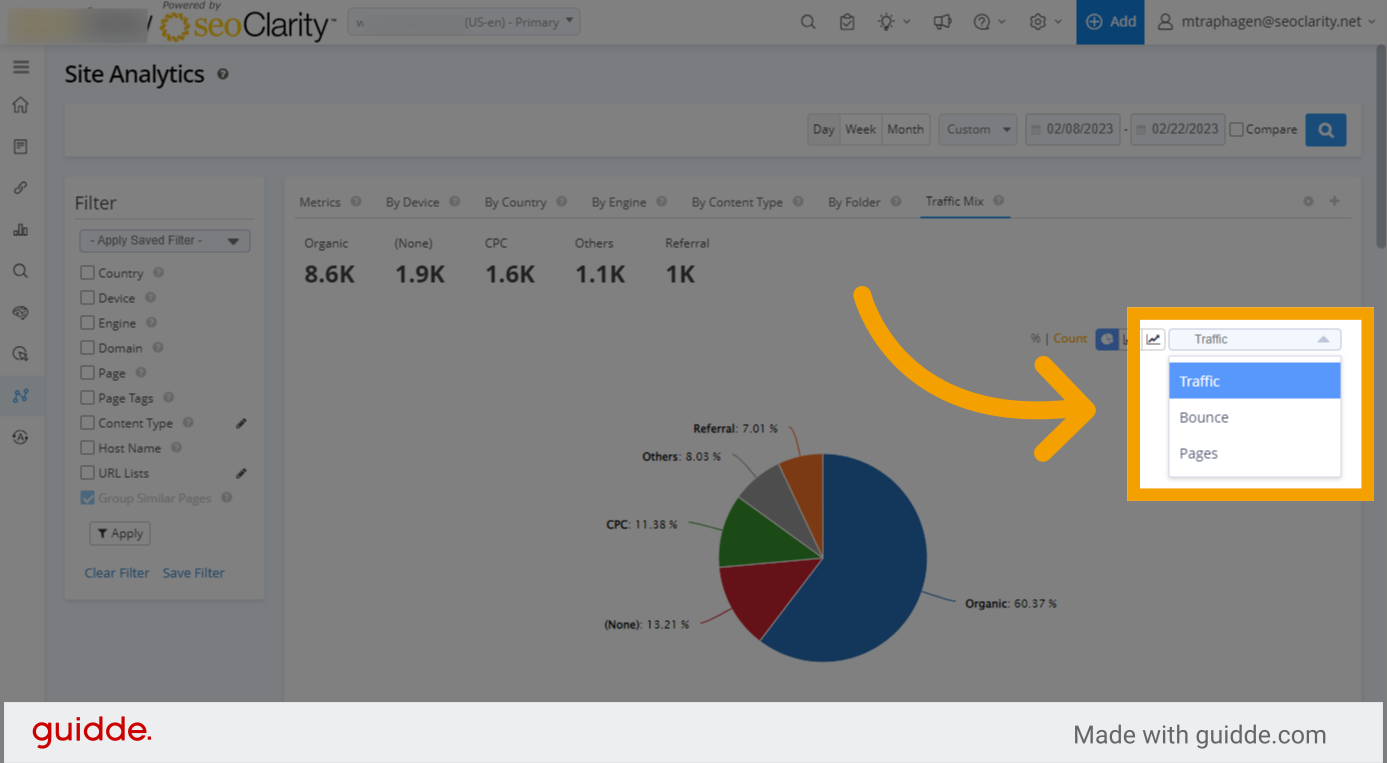
5. Change the displayed metric
6. Change chart type
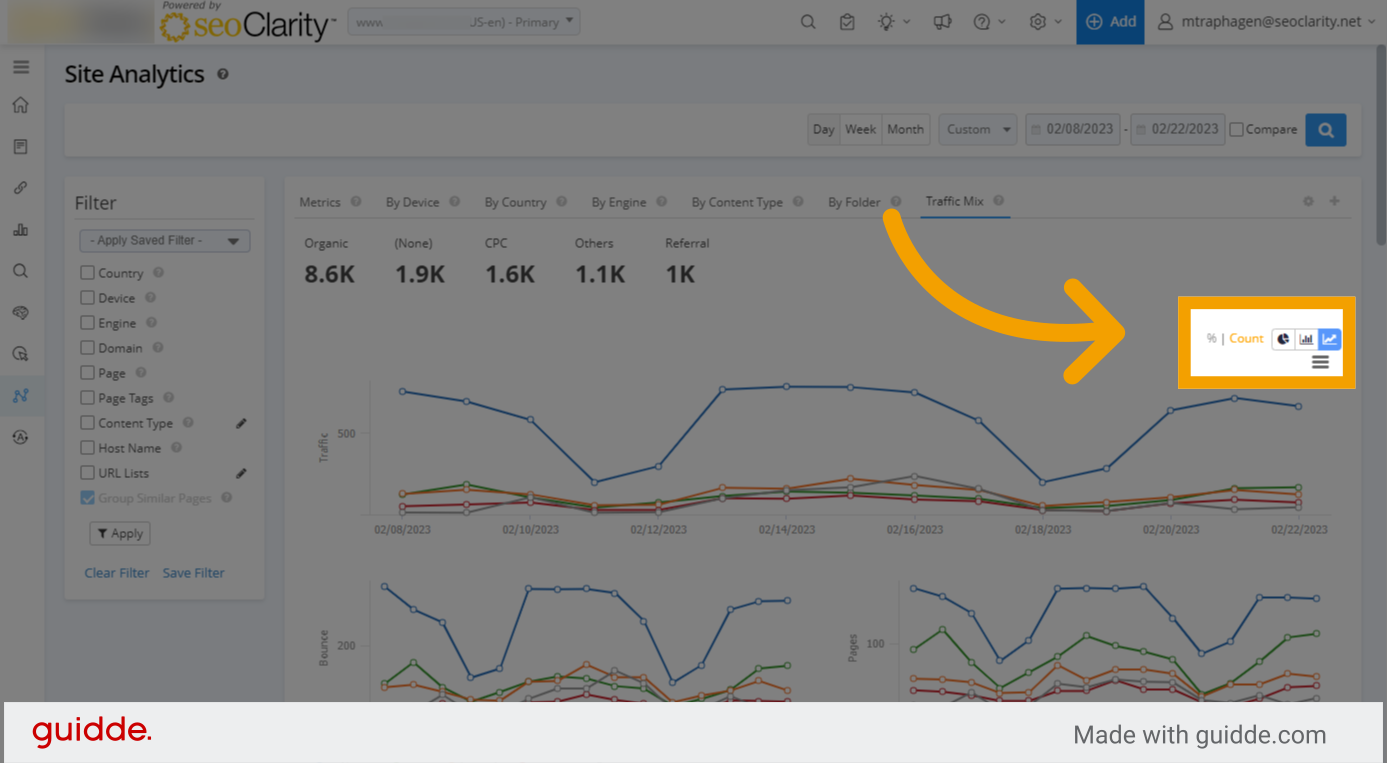
7. Trended line chart
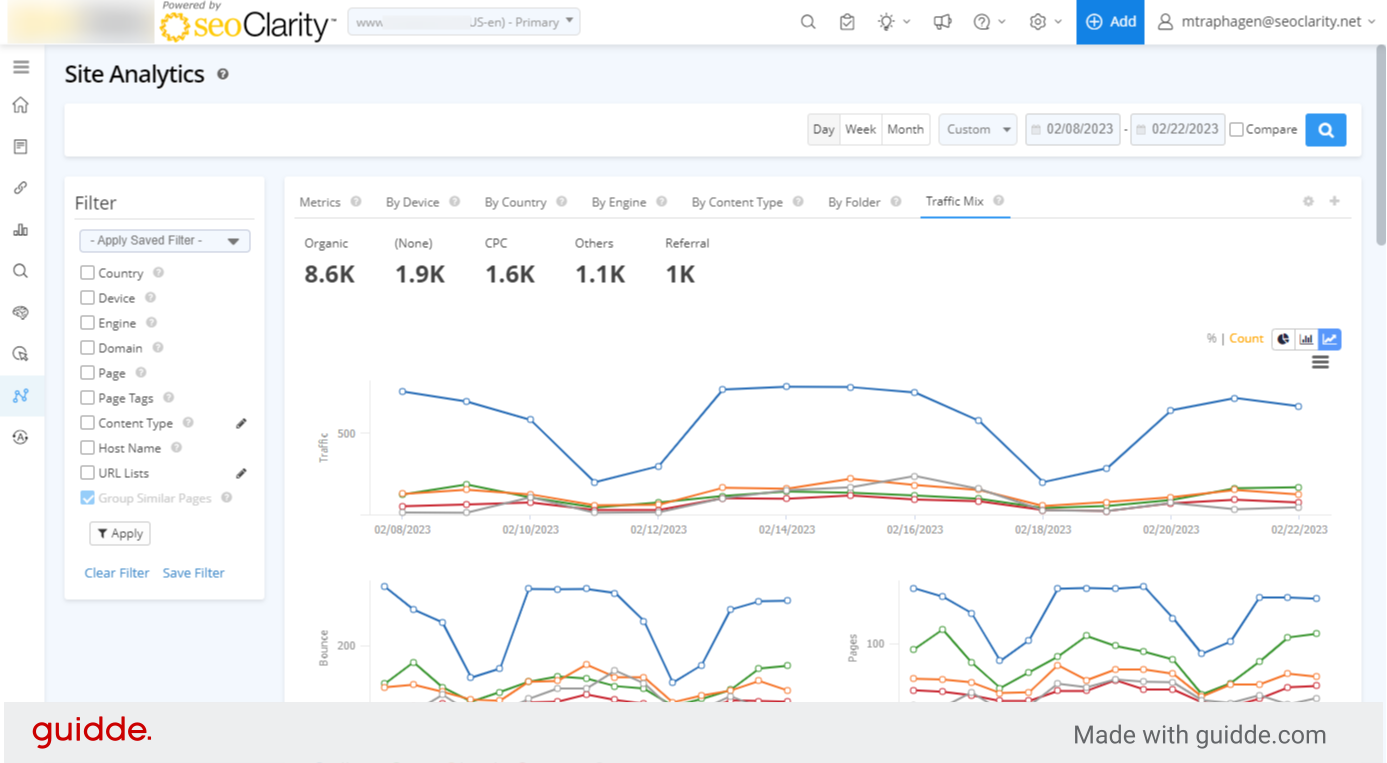
8. Trended bar chart
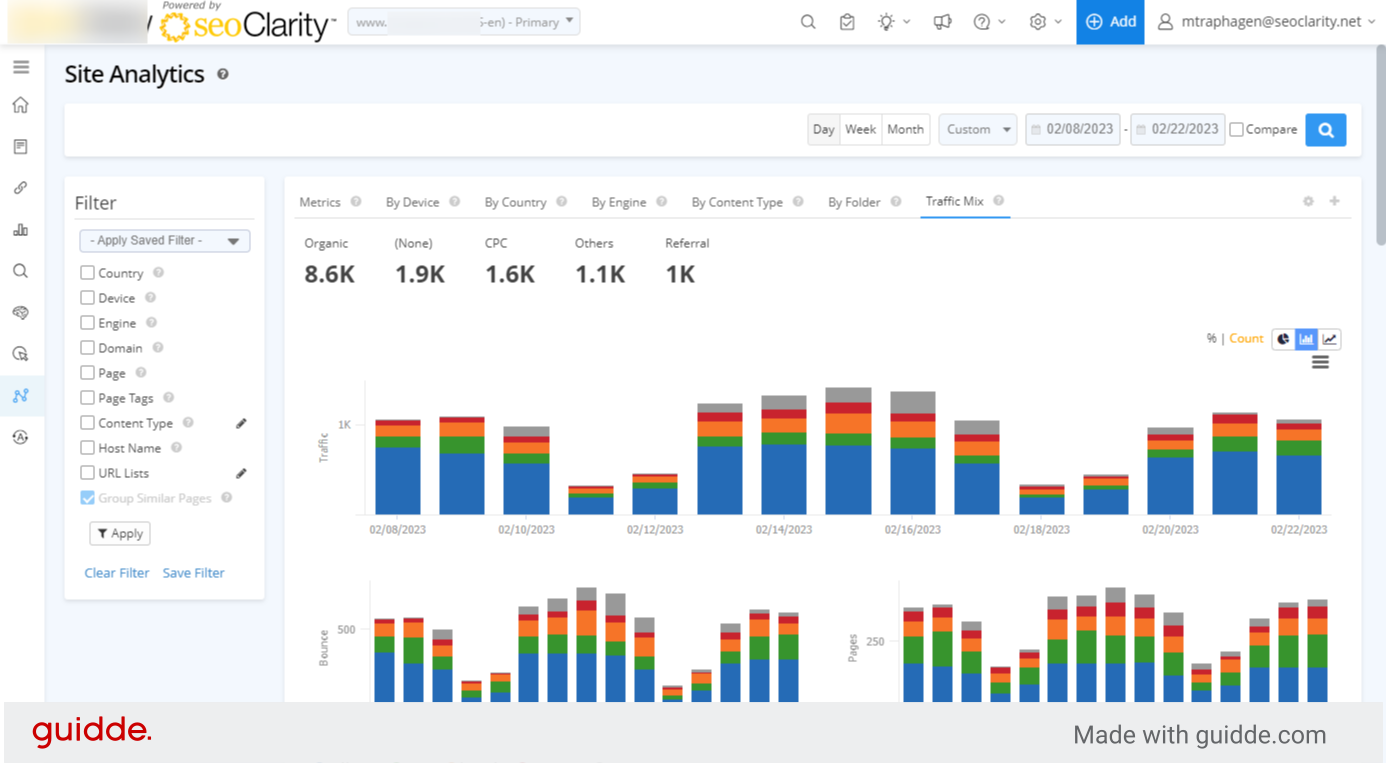
9. Use filters to further segment your view
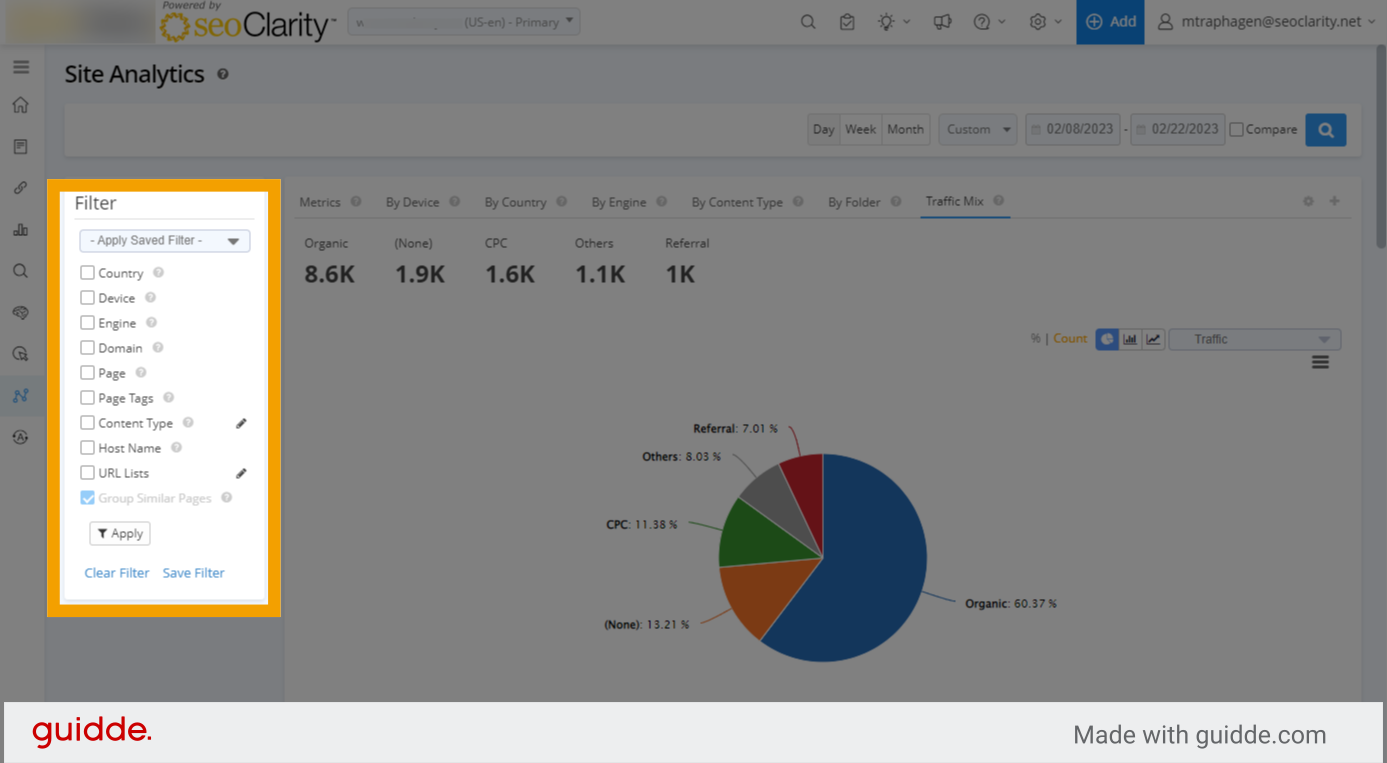

Related Articles
How to Use Traffic Mix Analysis in Site Analytics
Overview Traffic Mix Analysis allows you to view all your marketing channels in one view. Requirements You must have Google Analytics integrated with your account for this feature to appear. How to Use Traffic Mix Analysis 1. Traffic Mix Analysis in ...
Site Analytics
Site Analytics Overview Site Analytics is a simple way to do a powerful, adhoc analysis on all organic search data based on the integrated analytics platform. Check out the Site Analytics overview video below: Site Analytics Background & Requirements ...
Adobe Analytics Integration
Overview For Adobe Analytics integration, this article outlines the steps needed to run through in order to grant seoClarity access to your account. Adobe eVars (Conversion Variables) are not needed for the Partner Exchange integration. In the Adobe ...
Search Analytics (Google)
Search Analytics (Google) Overview Search Analytics provides data based on Search Console producing a great insight into your SEO data and efforts. Syncing your GSC profile with seoClarity keeps all of your data in one spot for ease of use and ...
Site Audit Report
Site Audit Report Overview This overview will help you understand exactly what Site Audit Reports displays, which is a summary of the most recently completed crawls. It contains a summarized view of site health scores of crawls run within a project, ...