How to Move Keywords from One Tag to Another?
How to Move Keywords from One Tag (Tag A) to Another (Tag B)?
1.) Filter for Tag A Keywords. Use the Tags filter to show only the keywords under Tag A.
2.) Go to the Keywords tab to download the Keywords.
a) If the keyword list has more than 500 keywords, download using "Keyword + Tags (Grouped)".
b) If the keyword list has fewer than 500 keywords, expand the list to show up to 500 rows before downloading.
3.) Copy the downloaded keywords from Tag A. Upload them back into the platform and assign them to Tag B.
Note: This won’t create duplicate keywords—the system will automatically deduplicate them.
If You Want to Remove Some Keywords from Tag A
If you want to remove keywords from Tag A that you moved to Tag B, follow the steps below:
1.) Upload the specific keywords you want to remove into a Temporary Tag (Tag C).
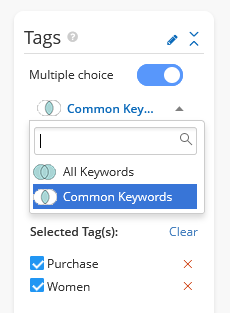
2.) In the Tags filter, select "Multiple Choice" and then "Common Keywords". This will show the keywords that exist in both Tag A and Tag C (i.e., the ones you moved to Tag B).
3.) Go to the Keywords tab to view the list of shared keywords.
2.) In the Tags filter, select "Multiple Choice" and then "Common Keywords". This will show the keywords that exist in both Tag A and Tag C (i.e., the ones you moved to Tag B).
3.) Go to the Keywords tab to view the list of shared keywords.
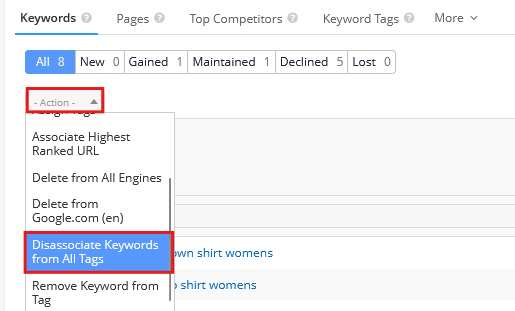
4.) Click Action > Disassociate Keywords from Tag to remove them from Tag A.