How to Edit a Keyword Tag Name

How to Edit a Keyword Tag Name

How to Edit a Keyword Tag Name

Step-by-step instructions below the video.
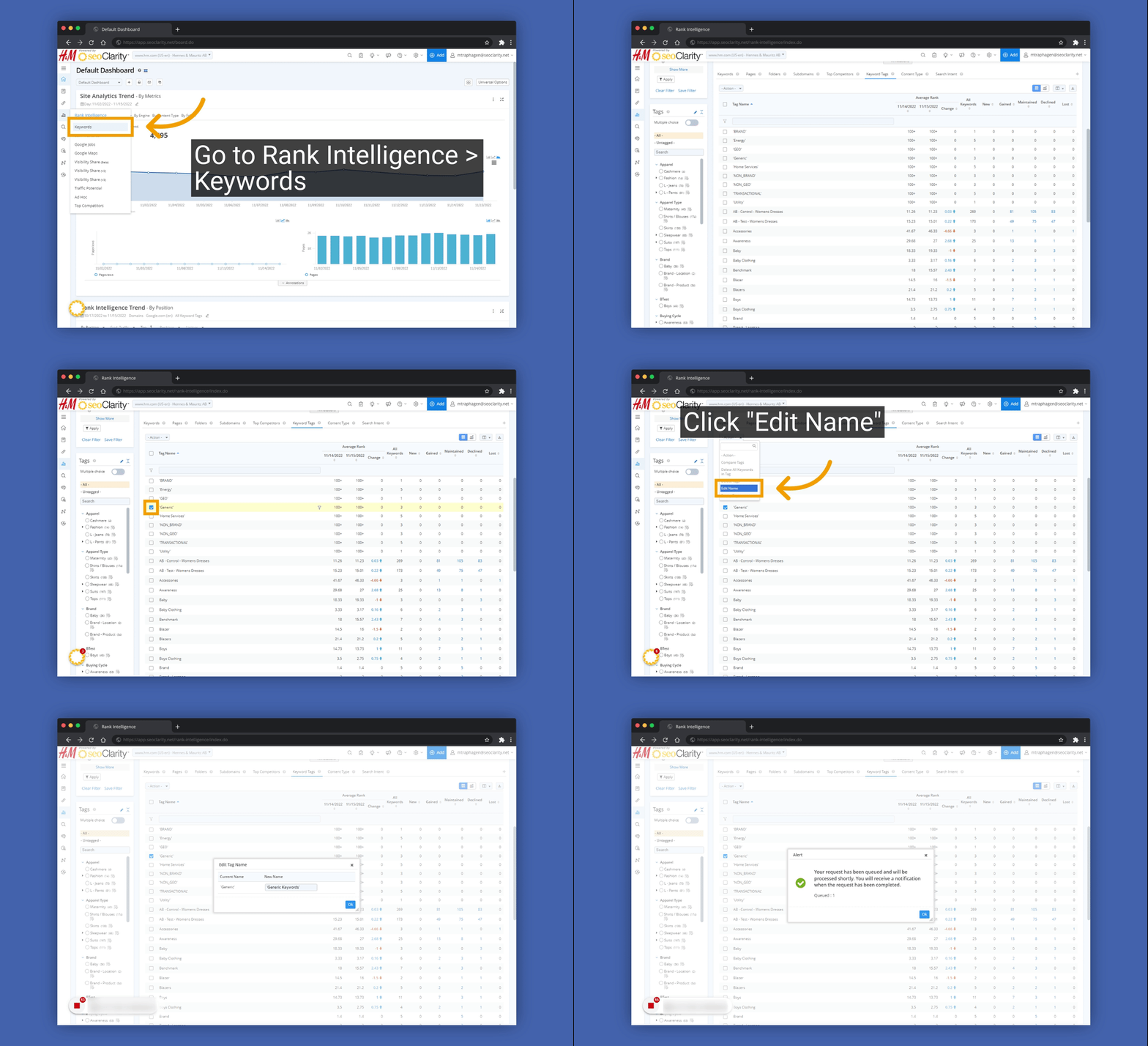
Quick Guidde


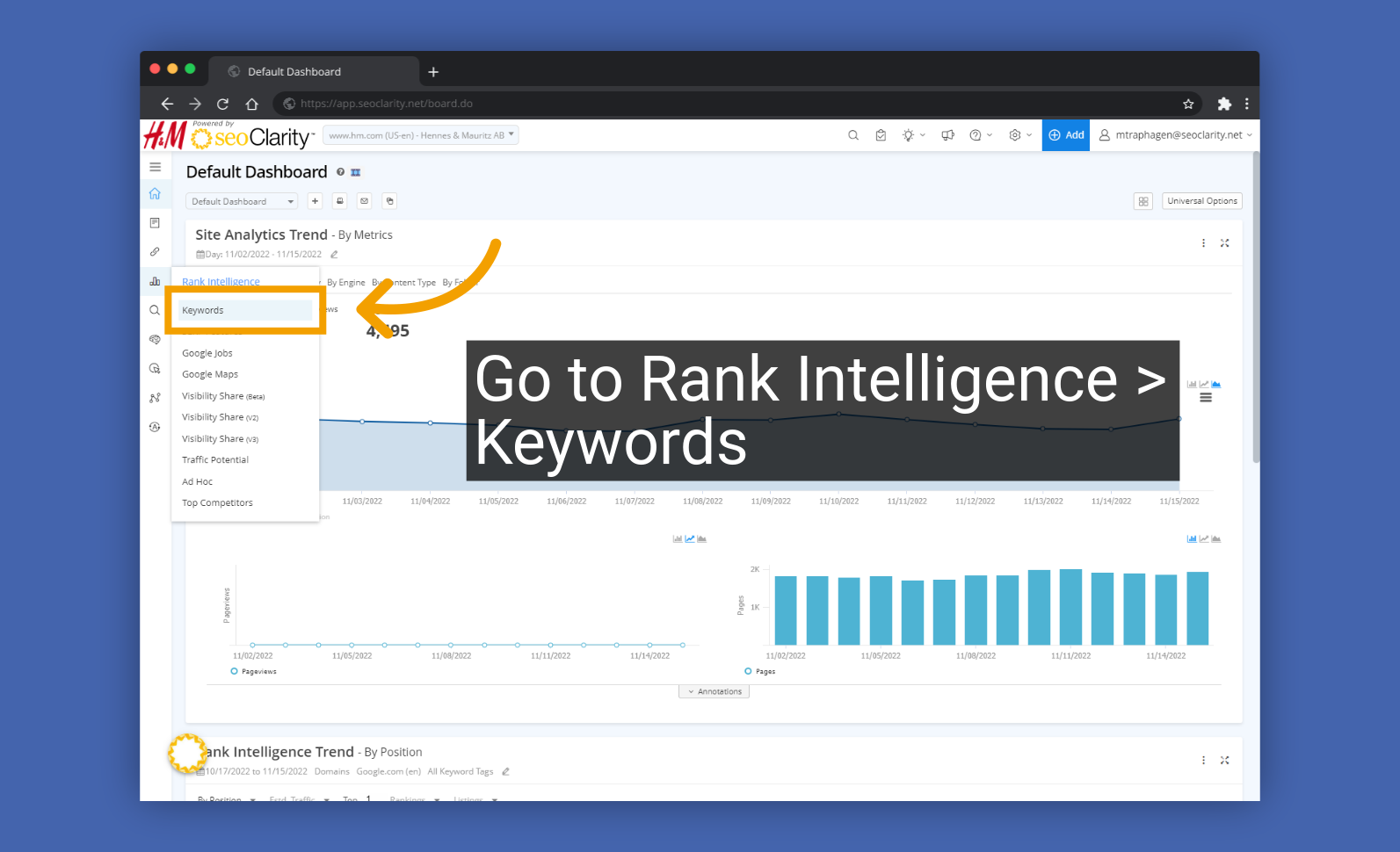
1. Navigate to Rank Intelligence > Keywords

2. Select the "Keyword Tags" table
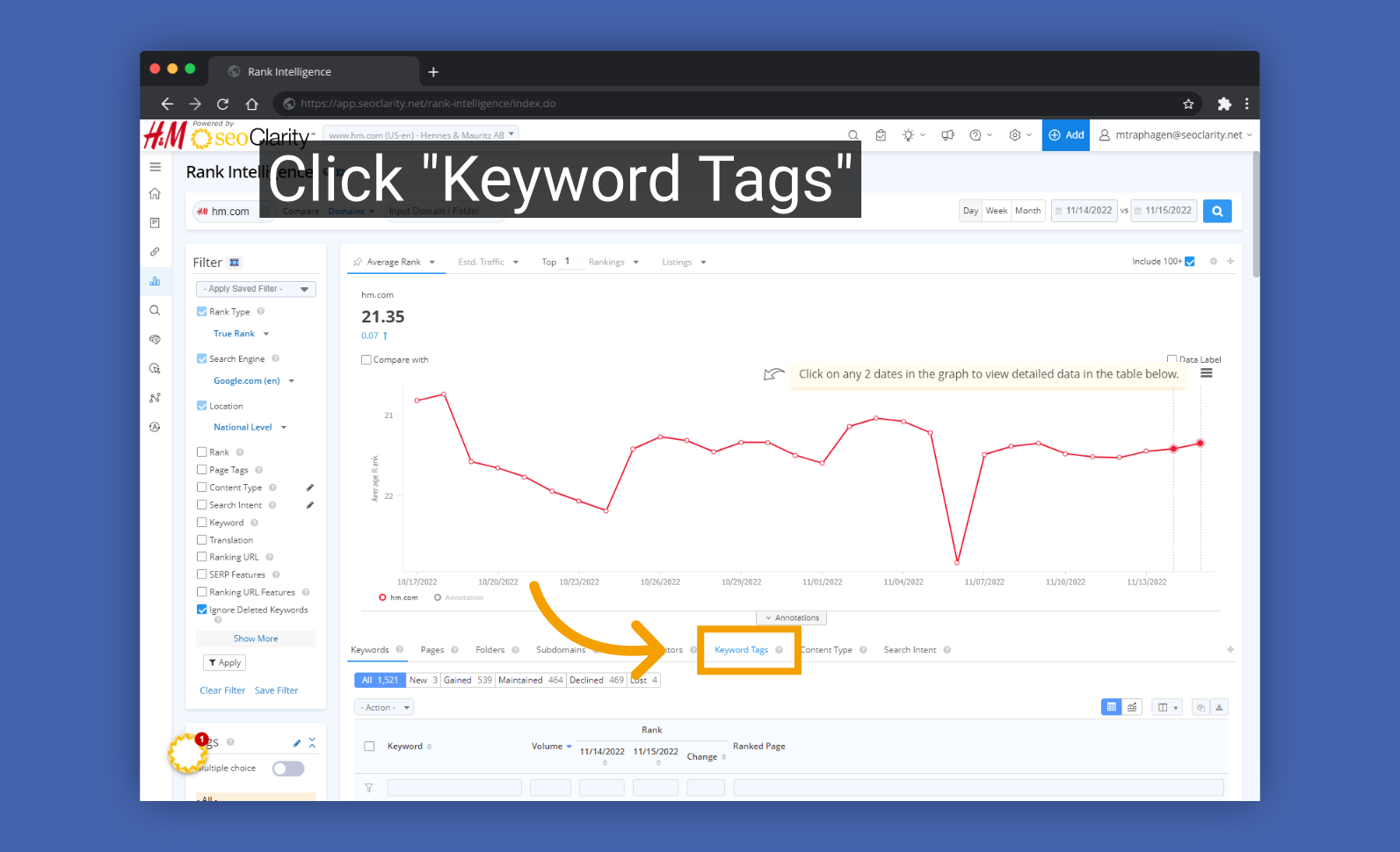
Click


3.Select the checkbox for the tag you want to edit
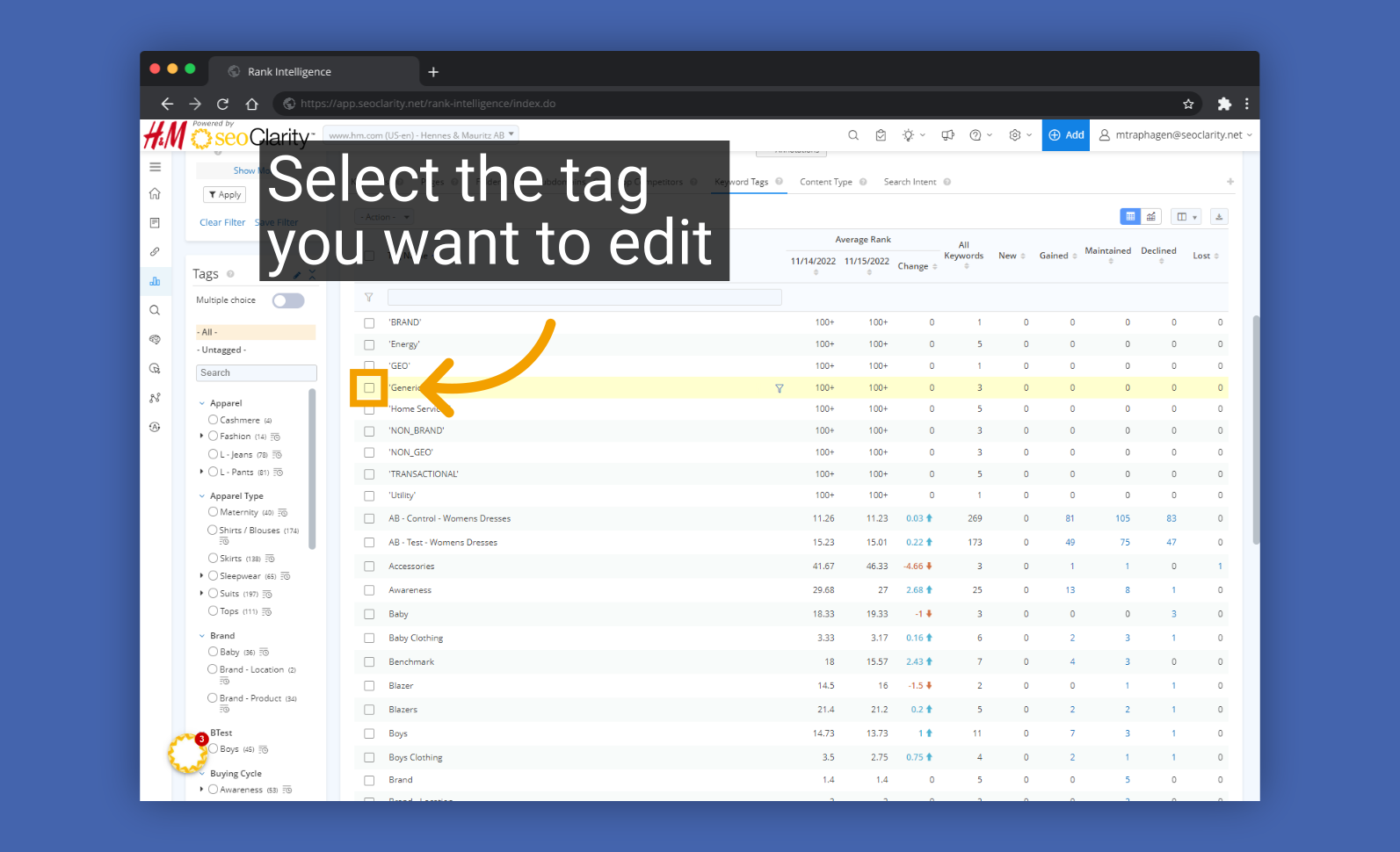
Select the tag you want to edit


4. Select the Actions menu
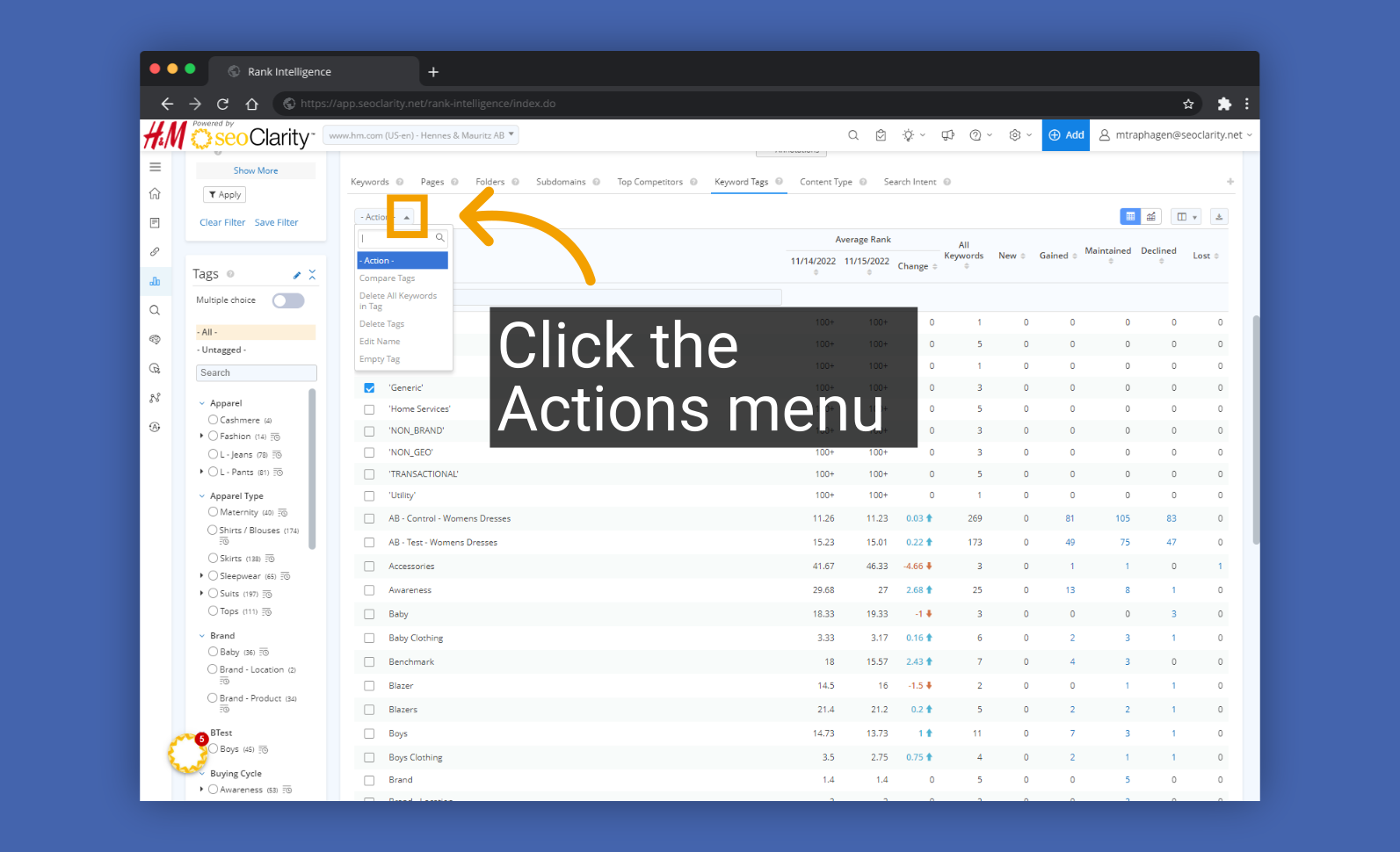
Click the Actions menu


5. Select the "Edit Name" option
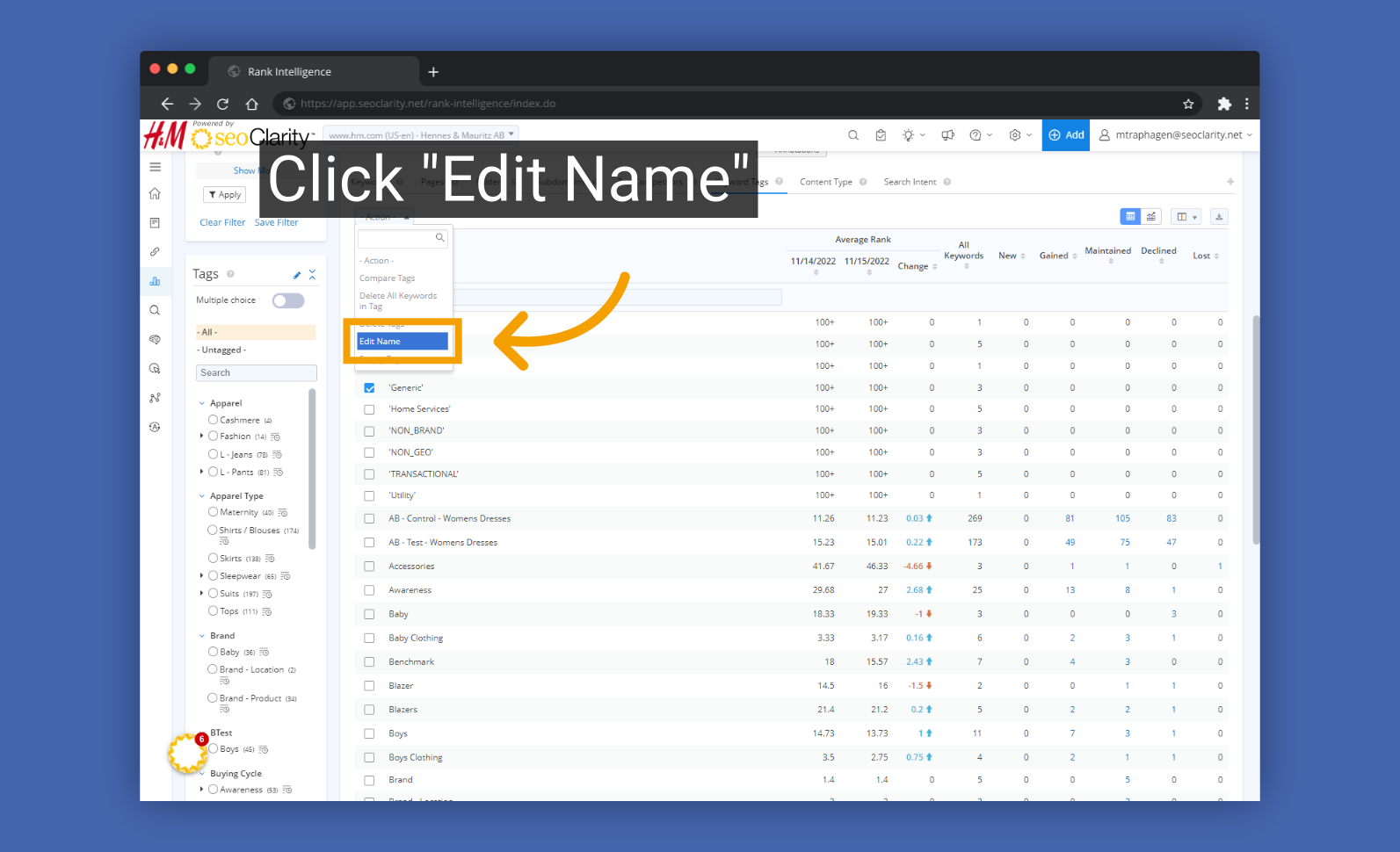
Click


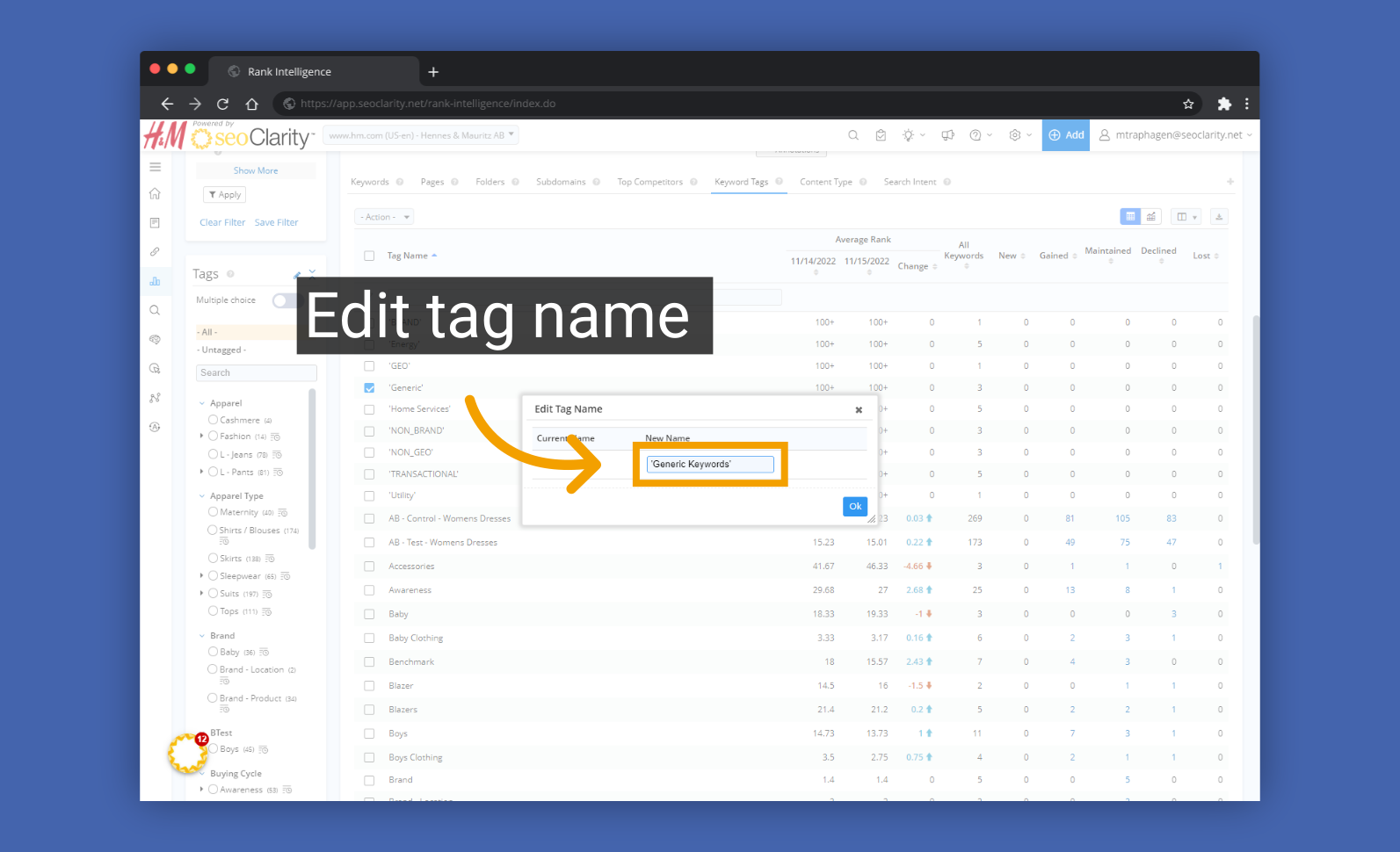
6. Edit the tag name

Edit tag name


7. Click "Ok" to save the change
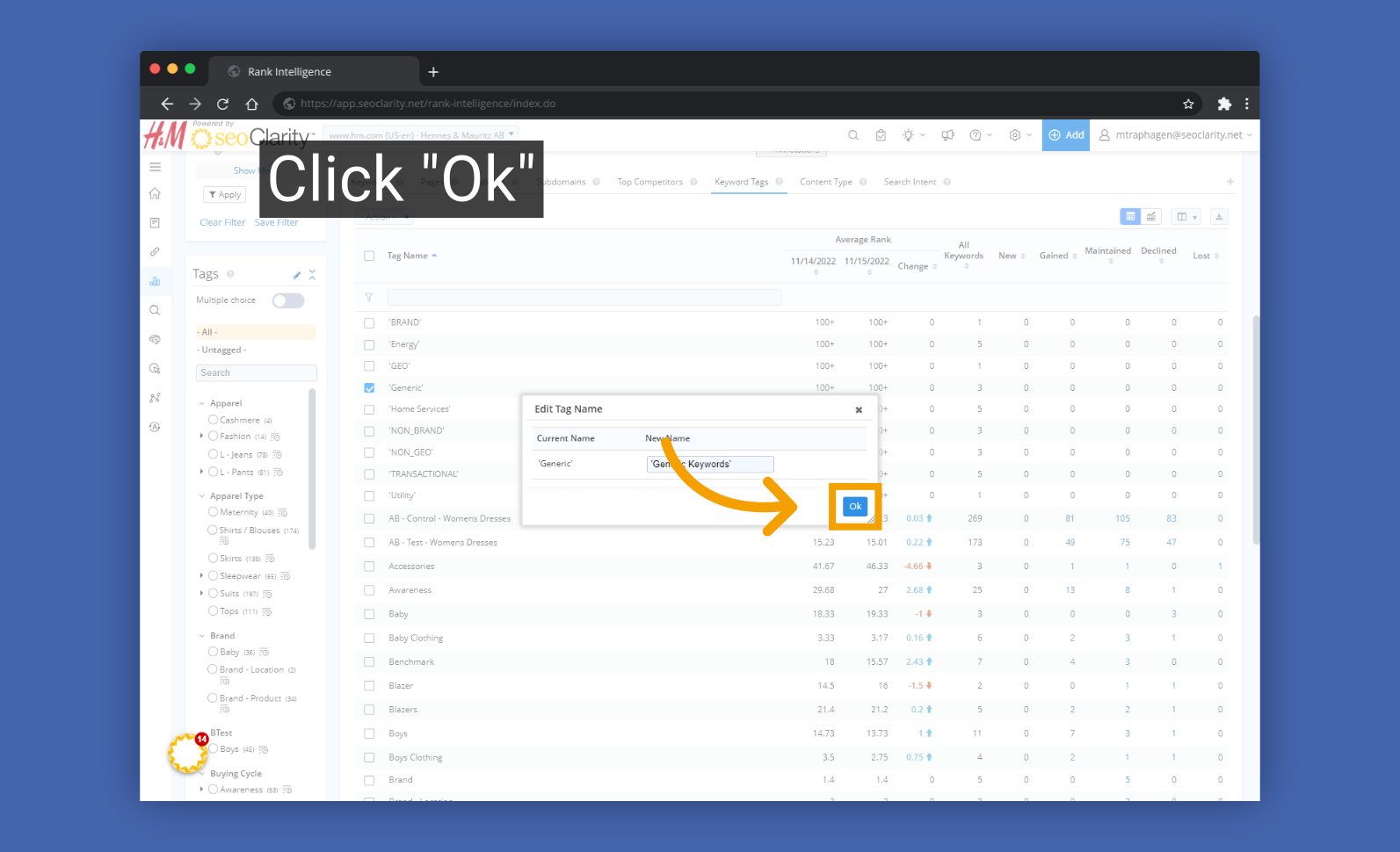
Click


8. A success message will appear to to confirm the change has been queued up
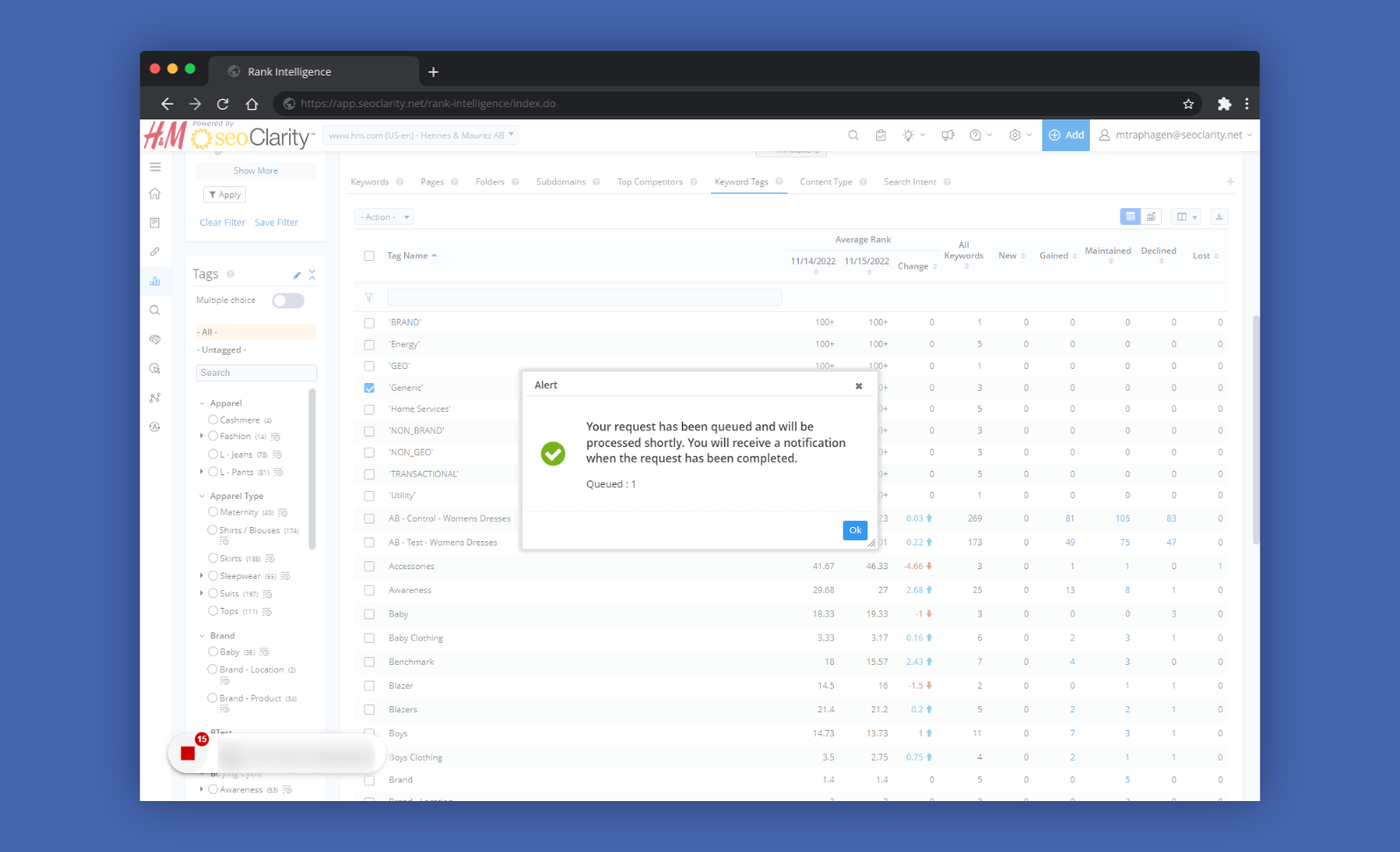
Step 12


    • Related Articles

    • Dashboard Reports: How to Create, Edit, Copy, and Email

      Dashboard Overview This walkthrough will lead you through everything about the new Dashboard. It takes you from the absolute first steps of creating a new dashboard to editing the dashboard and deleting the dashboard. This entire walkthrough will ...
    • Tag History settings

      Tag History Settings Overview The Tag History settings, when enabled, allows for historical Keyword Tag (or domain) data to be kept as it was and will not update data historically for any keyword changes. This differs from the default behavior in ...
    • Settings: Friendly Domain Name

      Friendly Domain Name Setting Overview The Friendly Name setting allows for a custom naming convention to be included in the display of a managed domain. This also provides groupings for Multi-Domain Dashboards. Background & Requirements To setup a ...
    • Page Tag Detail

      Page Tag Detail Overview Page Tag Detail page provides an in-depth look into all of the data relating to the Page Tag groups that have been set up in this profile. Page Tag Detail Use Cases Organize all of your managed URLs into specified groups ...
    • What Are Automatic Tag Rules and How Are They Created?

      Auto-Tagging Rules and Execution Automatic tag rules let you set up criteria to automatically add keywords or pages to specific tag groups. When a keyword or page matches the criteria, it’s added to the corresponding tag group for tracking. These tag ...