Job Pack settings

Job Pack settings

Overview

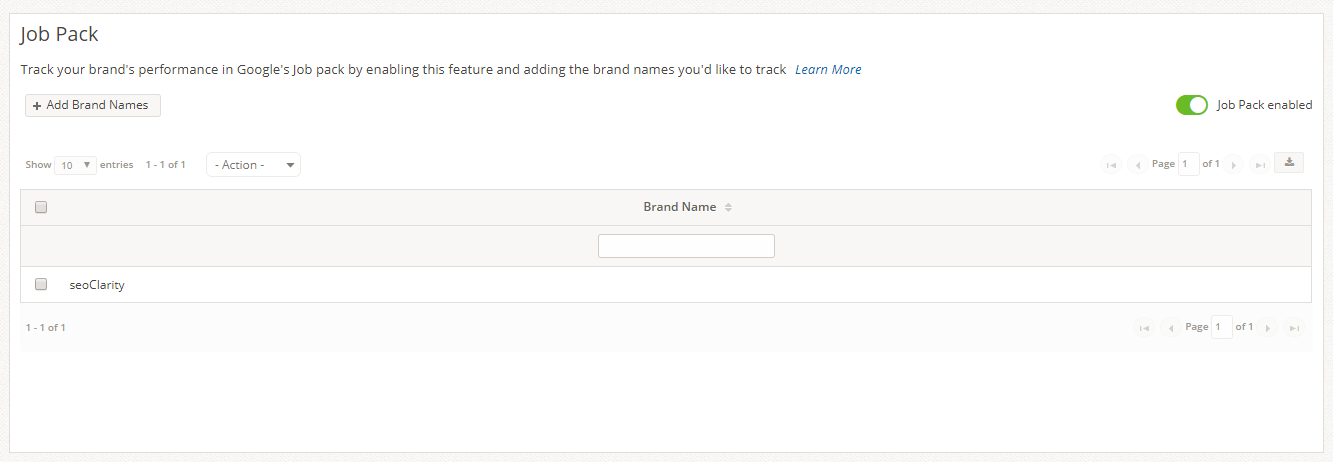
The Job Pack settings allows for company brands to be tracked within Google's job listings based on the (3 pack) results seen in the standard search results page. This does not track results within the Google Jobs search engine, for that check out the Google Jobs setting

Requirements

To view Google Job data for a company, it must be enabled via this setting. To view ranking data for your domain, a Brand name must be entered. Enabling this settings requires disabling the Google Maps setting.


Job Pack

    • Related Articles

    • Users settings

      User Settings Overview Setting up and managing user accounts is one of the first steps to take in the seoClarity platform. It is a basic task, yet one of the most important tasks to take care of when setting up and managing an account. Managing Users ...
    • URL Parameter settings

      OverviewCustomize how ClarityBot crawls your site. The URL Parameters SettingĀ gives users the ability to instruct the seoClarity crawler bot with customizable crawl settings for your website, as well as setup pattern matching rules for managed pages ...
    • Google Search Console Integration

      Google Search Console Integration Overview The objective of this integration is to authenticate a Google Search Console account within seoClarity. This integration takes the place of the previous Google Webmaster Tools integration. Background & ...
    • Local 3 Pack

      Local 3 Pack Overview Research Grid Local 3 Pack provides a quick way to discover keyword opportunities from Google Maps listings found in the Research Grid. Local 3 Pack Use Cases Discover keywords that have the Google Maps local pack SERP feature ...
    • Dashboard settings

      Dashboard Settings Overview Custom Dashboards can be created, edited, deleted, and assigned in this settings section. Insight to all SEO data is available through Dashboards, which can be used to tell a story in the form of a report. Default ...