Content Similarity Check settings

Content Similarity Check settings

Simcheck Settings Overview

The Content Similarity Check (or Simcheck for short) setting allows for the comparison of content between pages to determine how similar they are. 


Background & Requirements for Simcheck

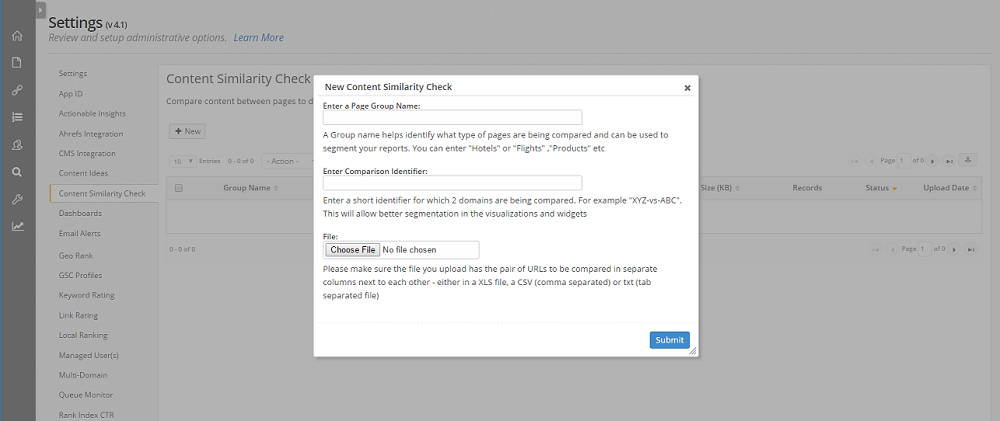
Upload a comparison file by clicking the + New button. The following popup image will be displayed, where you can enter in a Page Group Name that helps identify the type of pages being compared, as well a Comparison Identifier to allow for better utilization in dashboard visualizations. Once these have been entered, you can upload your comparison file by selecting the Choose File button.

Note: The uploaded XLS, CSV, or TXT file should be formatted so that the page's being compared are in two columns across from each other. Remove any duplicate values in the file before uploading. Headers do not need to be included and are purely for identification purposes in the example below.


Simcheck Format
URL
Comparing URL
http://www.example.com/category1/subfolder2/http://www.example.com/category1/subfolder8/


Simcheck Dashboard

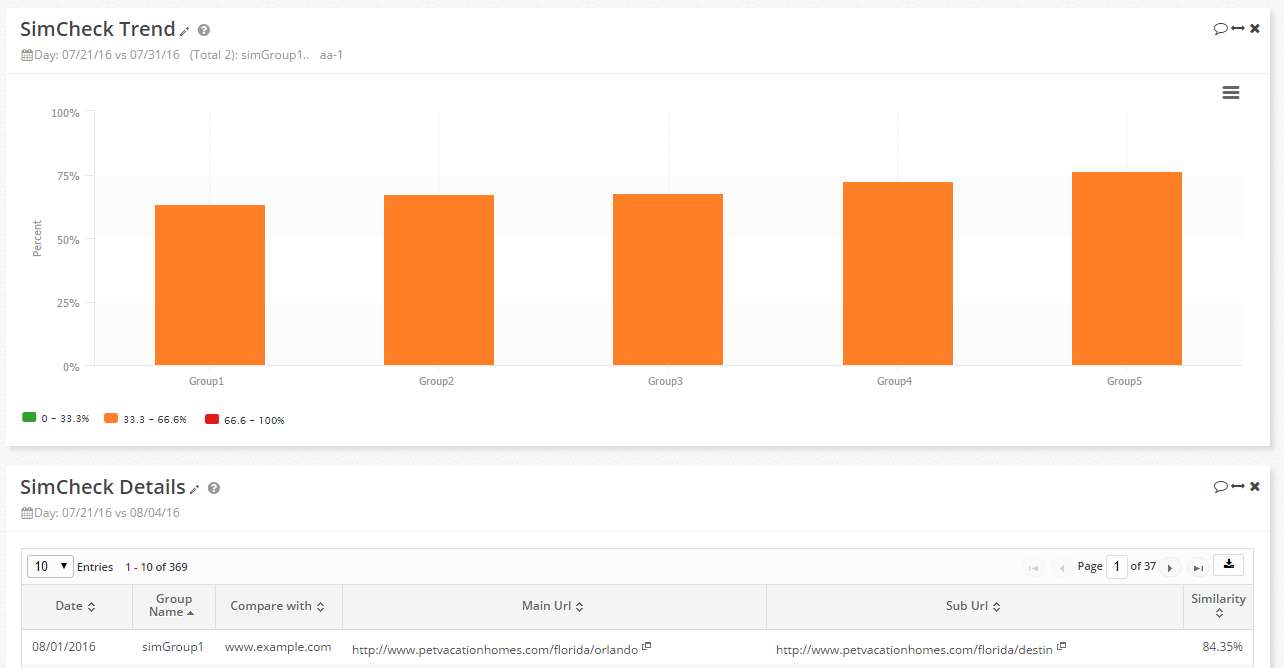
Once the file has been uploaded, the Simcheck process will run and the data will be made available within the Dashboards via the SimCheck Trend and SimCheck Details widgets. The trend produces a summary based on the similarity percentages and the detail displays the individual URLs that were compared.

    • Related Articles

    • Users settings

      User Settings Overview Setting up and managing user accounts is one of the first steps to take in the seoClarity platform. It is a basic task, yet one of the most important tasks to take care of when setting up and managing an account. Managing Users ...
    • URL Parameter settings

      OverviewCustomize how ClarityBot crawls your site. The URL Parameters SettingĀ gives users the ability to instruct the seoClarity crawler bot with customizable crawl settings for your website, as well as setup pattern matching rules for managed pages ...
    • Standard API Data

      Standard API Overview seoClarity's API provides you programmatic access to a wealth of data, statistics and information collected by the seoClarity platform. The API is designed to be extremely simple to use and flexible to accommodate a wide range ...
    • Google Search Console Integration

      Google Search Console Integration Overview The objective of this integration is to authenticate a Google Search Console account within seoClarity. This integration takes the place of the previous Google Webmaster Tools integration. Background & ...
    • Content Ideas

      Content Ideas Overview Content Ideas is the place to find out what's relevant to a particular keyword topic to provide suggestions for subjects that can be covered when building content. Background & Requirements for Content Ideas Search a keyword ...