Can I change how I view my charts/widgets?
Other Useful Chart Views
In Rank Intelligence click on the first tab above the chart to see other viewing options.
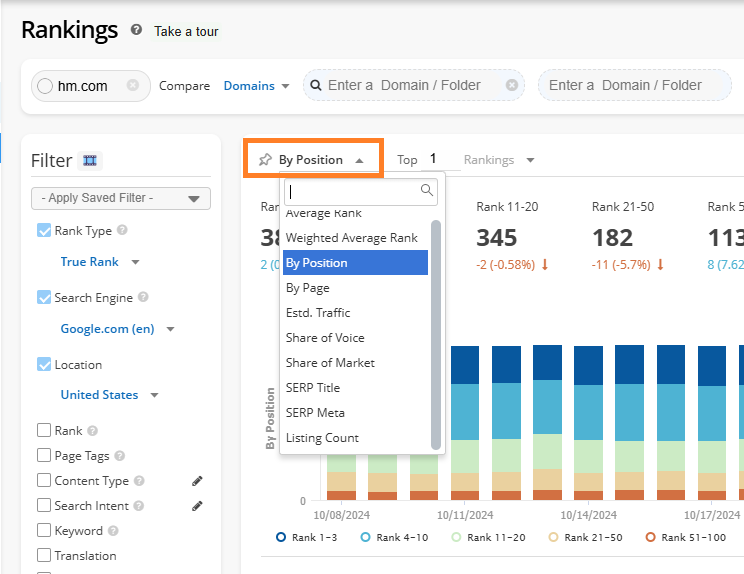
Change the Chart Style
Above the right side of the chart click on the starburst to change the chart style along with choosing other metrics and rank ranges.
Related Articles
Dashboard Widgets & Descriptions
Dashboard Widgets Overview Below is a list of the Dashboard widgets including: the type of data they use, what they visually appear as, if they include a data table, a description, and the platform section the data can be seen in. Some widgets are ...
Top Competitors
Top Competitors Overview Top Competitors summarizes managed keyword ranking data by the top 5000 ranking domains who rank in the top 10 for your managed keywords. These are considered true ranking competitors as they are what search engines display ...
Glossary of Terms
200 OK: Status code that indicates the URL is normally accessible. 301 Redirect: Status code that indicates a permanent server side redirect. 302 Redirect: Status code that indicates a temporary server side redirect. 403 Error: Status code that ...
Can I exclude competitors from my charts/widgets?
There is the option to exclude competitors in dashboard widgets and feature charts. Click on the competitor URL under the chart to deselect it. The competitor will no longer be represented in the chart. In Dashboards click on the 3 dots next to a ...
Site Audit Report
Site Audit Report Overview This overview will help you understand exactly what Site Audit Reports displays, which is a summary of the most recently completed crawls. It contains a summarized view of site health scores of crawls run within a project, ...